QR codes have become a vital tool for connecting the physical and digital worlds. But have you ever wondered why most QR codes are square? In this blog, we’ll dive into the square QR code, explore the role of its shape, explain whether QR codes must always be square, and show you how to get and use these codes effectively.
Whether you’re interested in a square QR code generator or want to create a square website QR code, this guide will give you clear insights.
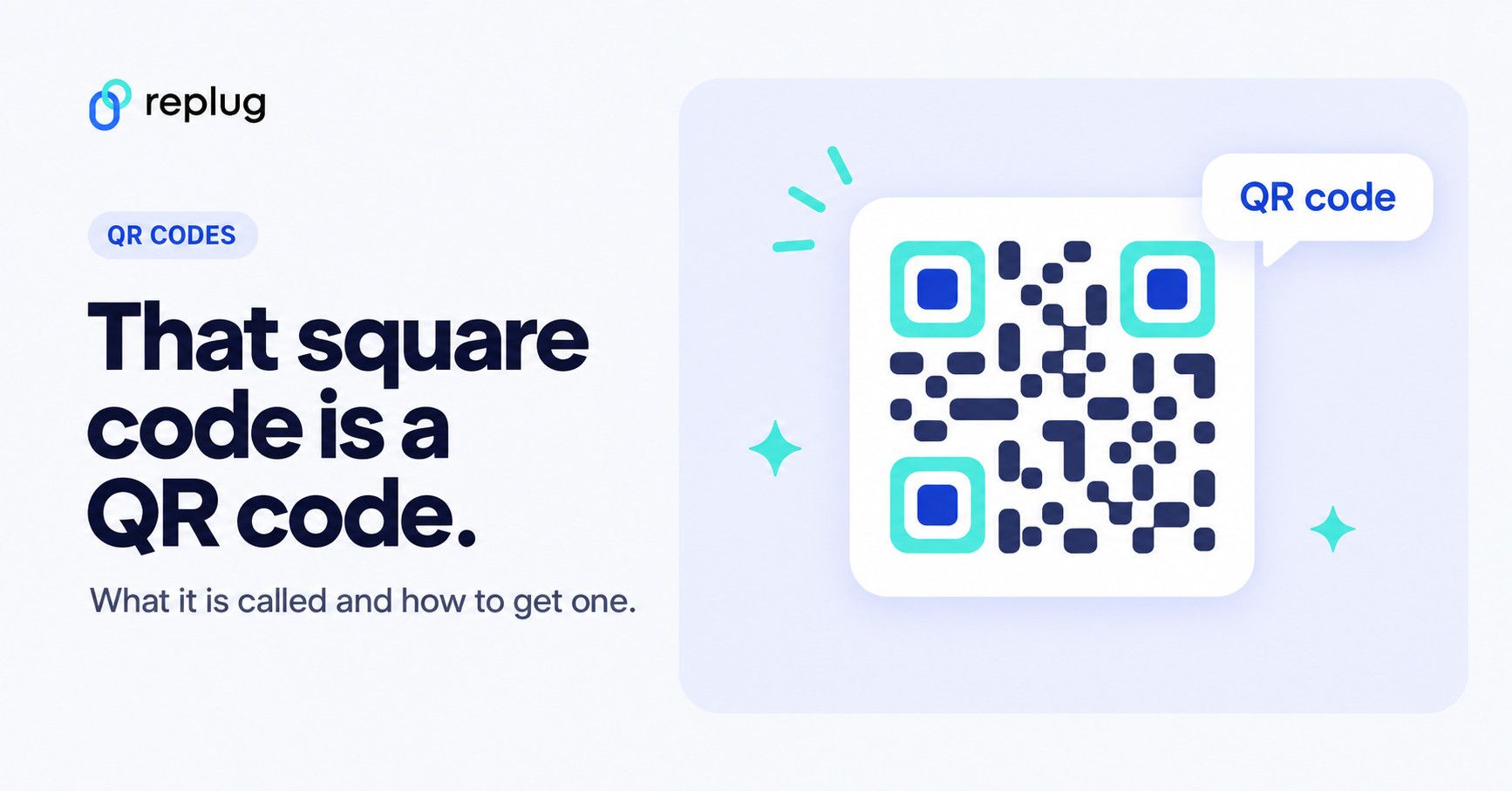
Quick answer: the square code you scan with your phone camera is called a QR code (short for “Quick Response” code). It’s a two-dimensional barcode made of black and white squares, released by DENSO WAVE in 1994, according to the company’s own history of the QR code. Other square 2D barcodes exist, such as Data Matrix, but the one on menus, posters and packaging is almost always a QR code. If you searched for Square, the payments company, it also makes QR codes for payments and ordering; that’s covered below.
What is a square QR code?
A square QR code is a type of two-dimensional barcode made up of black and white squares arranged in a larger square grid. It stores data such as website URLs, text, or contact details that can be quickly scanned and decoded by smartphones or QR scanners.
Unlike traditional barcodes, which are linear and one-dimensional, QR codes can hold much more data due to their square grid design. Since it was approved as an international standard in June 2000 (DENSO WAVE), QR codes have found use in marketing, supply chain tracking, and everyday interactions like menu scanning.
What is the square barcode called?
Most people call it a “square code”, a “scan code” or a “square barcode”. Its proper name is QR code. DENSO WAVE created it for tracking parts in car factories and released it in 1994; the “QR” stands for quick response (DENSO WAVE). Unlike a regular barcode with vertical lines, a QR code stores data in both directions, which is why it looks like a square grid.
A few other square 2D barcodes look similar. Data Matrix (and GS1 DataMatrix) is used on product packaging; GS1’s retail guideline covers it alongside QR codes. You can tell a QR code apart by its three large square “eyes” in the corners.
Are QR codes always square, and why is their shape important?
You might wonder, does a QR code have to be square?
The truth is, while most standard QR codes are square, not all QR or 2D codes strictly follow that shape. The classic QR code’s square design comes from its evenly arranged grid of modules in rows and columns. This geometric structure provides distinct corners and alignment points that scanners use to quickly determine orientation and accurately decode information.
The square shape remains the most popular because its symmetry and clear edges make scanning fast and reliable. However, modern designs sometimes feature rounded corners, custom shapes, or embedded logos that give QR codes a less boxy look. Even so, these creative variations still maintain the essential square or rectangular grid underneath to ensure they remain scannable.
In short, while there’s flexibility in design, the underlying square structure is key to how QR codes function effectively.
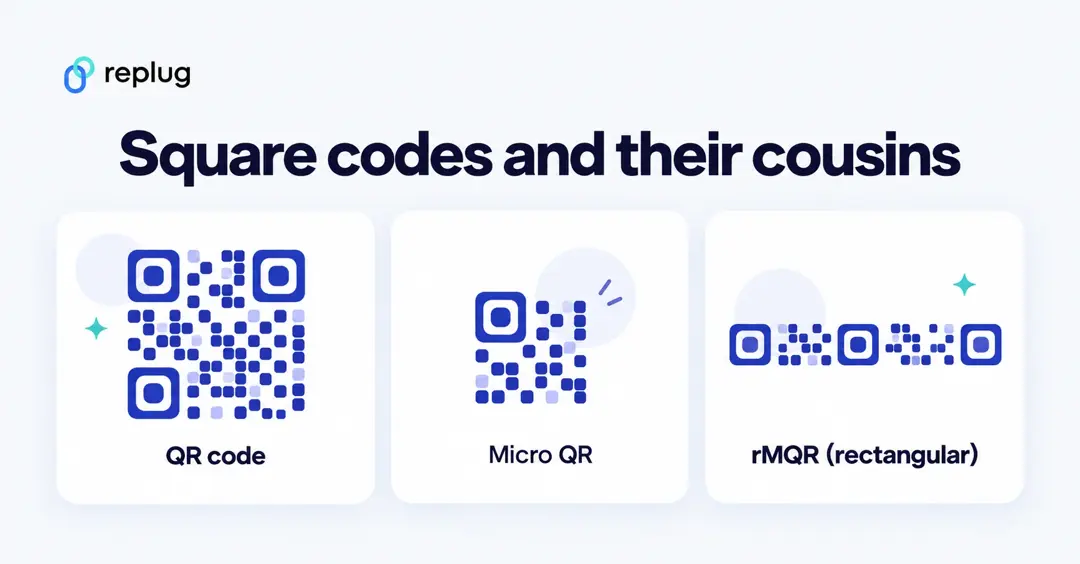
There are even official non-square versions. DENSO WAVE’s rMQR Code is a rectangular code for long, narrow spaces that stores up to 361 numeric characters and received ISO approval in May 2022, and Micro QR Code is a smaller square with only one corner pattern. Your phone’s camera app is built for regular QR codes, so test any special format before you print it.
How to get a square QR code
If you’re wondering how to get a square QR code, the process is simple. Most square QR code generators produce the standard square format by default. Simply:
- Choose a trusted QR code generator
- Input the data you want the QR code to contain (URL, text, contact info)
- Customize colors or add logos if you want, while keeping the square layout intact
- Download and use your square QR code on your website, packaging, or marketing materials
Creating a square QR code with Replug is just as easy and helps direct users to specific web pages effortlessly.
Beyond just generating QR codes, Replug allows you to create branded short URLs that show people whose link they’re opening when embedded in your codes. Plus, with Replug’s analytics dashboard, you can track every scan, add UTM parameters for campaign insights, and, on Scale and Agency, run A/B tests to optimize your QR code performance. This makes managing and measuring your QR code campaigns smarter and more effective.
Square QR codes: QR codes from Square, the payments company
Many people searching for a “Square QR code” mean QR codes from Square, the point-of-sale and payments company. Square has its own QR code tools, and they’re separate from the general QR code generators in the rest of this guide:
- QR codes for payments: Square says you can generate a QR code and share it online or in print to accept payment for an item or service, without building a website. Square says these codes are free and charges its standard processing rate (2.9% + 30¢) on each sale, and that the codes don’t expire.
- QR code ordering: Square’s help center explains how restaurants and shops set up QR codes that open their Square Online ordering page from a table, seat or parking spot. It needs a Square Online Plus or Premium plan and is set up in Square Dashboard under Channels.
- Scan to Pay: for restaurants on Square’s Plus and Premium plans, a QR code printed on the receipt lets guests pay for their meal from their phone (Square Support).
To get one of these, sign in to your Square Dashboard and follow Square’s help articles above; the code then points to a page Square hosts. Use a general QR code generator like Replug when you want a code for anything else, such as your website, a menu PDF, a bio page or a contact card, with your own colors and scan tracking.
Benefits of using square QR codes
Here are some top benefits of why you should use square QR codes in your marketing strategy:
Reliable scanning
The square shape of QR codes, combined with their distinct corner patterns, allows scanning devices to quickly detect the code’s orientation. This ensures fast and accurate reading even from different angles or under less-than-ideal lighting conditions. The symmetry and alignment markers built into the square design make it easier for almost all smartphones and scanners to decode the information reliably.
Higher data capacity
Compared to traditional one-dimensional barcodes, square QR codes can store significantly more information. Thanks to their two-dimensional square grid, they can encode URLs, text, contact details, product information, and more, all in a compact space. This makes them ideal for applications requiring detailed or lengthy data, such as marketing campaigns, inventory tracking, and digital menus.
Robust error correction
Square QR codes are designed with error correction capabilities, which means they can still be read accurately even if part of the code is damaged, dirty, or obscured. Depending on the error correction level, about 7% (L) to 30% (H) of the codewords can be restored, according to DENSO WAVE. This makes square QR codes highly durable and practical in real-world environments where wear and tear are common.
Also read: Why is my QR code blurry & how can I fix it?
Versatility across industries
Square QR codes are incredibly versatile. They’re widely used in marketing to drive user engagement, in retail for product labeling, in logistics and supply chain management for tracking inventory, and in event management for fast check-ins. Their ability to store diverse types of data makes them a universal tool across various sectors.
Increased adoption for contactless solutions
Since the pandemic, square QR codes have become a familiar way to offer contactless interactions. Restaurants use them for touch-free menus and ordering, retailers for digital payments, and public venues for health check-ins. This trend shows how the square QR code’s design supports both convenience and safety in today’s world.
How Replug enhances QR code usage
Replug isn’t just a link shortener; it’s also a complete QR code solution that helps you create, optimize, and measure the impact of your square QR codes.
Custom, dynamic square QR codes
With Replug, you can generate fully customizable square QR codes that match your brand’s style. Dynamic, editable QR codes allow you to change the destination URL anytime without needing to reprint the code (Scale and Agency plans), saving costs and boosting flexibility. Whether it’s for a new campaign or an updated product page, your QR codes stay relevant and effective.
A/B testing for better performance
Not sure which landing page drives more engagement? Replug enables you to A/B test multiple URLs behind one QR code, up to 20 on the Scale and Agency plans. This data-driven approach helps you identify the best-performing links and optimize your campaigns for higher conversions.
Multiple download formats
Whether you need high-resolution PNGs, SVGs, JPEG for crisp scaling, or WEBP for websites, Replug lets you download your square QR codes in the format that fits your marketing needs. This versatility ensures your codes look perfect everywhere, from billboards to social media posts.
Retargeting pixels
Replug allows you to add retargeting pixels to your QR code links, so anyone who scans your code can be retargeted with follow-up ads on platforms like Meta, Google, LinkedIn, X, TikTok and Pinterest, helping turn interest into action. Essentials includes one pixel; Scale and Agency have no limit (Replug).
Share across all digital channels
Replug makes QR code distribution seamless, so your audience can access your content wherever they engage with your brand.
Detailed analytics and tracking
Replug provides a dedicated dashboard that tracks how many people scanned your QR codes, when, and from where. These insights help you understand audience behavior and the effectiveness of your QR code campaigns. You can also add UTM parameters to your QR code URLs to monitor traffic sources and campaign success
Deep linking for smooth user journeys
Replug supports deep linking on the Scale and Agency plans, meaning QR codes can take users directly into specific pages or features within your mobile app. This eliminates extra navigation steps, making the customer journey smoother and increasing the likelihood of engagement and conversions.
Customizing your square QR code: tips and tricks
Though the QR code square shape must remain intact for scanability, you can customize it:
- Use high-contrast colors for better readability.
- Incorporate your logo without covering essential parts.
- Maintain adequate size to ensure easy scanning (see our QR code size guide).
- Avoid distorting the square grid or alignment markers.
Custom designs can boost brand recognition while keeping codes functional.
Conclusion
Square QR codes are the standard because their shape supports fast, reliable scanning and high data capacity. While QR codes don’t always have to look perfectly square, the underlying square grid is crucial for their function.
Whether you want to create a simple square website QR code or customize your codes with branding, tools like Replug can help you track and optimize your QR code campaigns effectively.
Ready to create your own square QR codes? Try Replug today and start enhancing your marketing efforts with smart, trackable links!
FAQs on square QR codes

Amna Yawar