Capsulink and Replug both shorten links, put them on your own domain and count clicks, the basics of modern link management. Capsulink is a lean URL shortener built around “smart links” that route visitors by device, location, language and time, with high click allowances for the price. Replug is a broader link management tool: branded short links plus bio link pages, call-to-action overlays, retargeting pixels, A/B tests, traffic routing and QR codes. This comparison shows what each one offers, what it costs and when to pick which.
Disclosure: this is Replug’s blog and Replug is our product. Capsulink facts come from Capsulink’s own website (pricing, smart links), checked October 2026. We say where Capsulink is the better fit.
| Capsulink | Replug | |
|---|---|---|
| Overview | Capsulink is a custom URL shortener with branded domains, smart links (dynamic routing), QR codes, retargeting scripts and an API. | A link management tool for branded short links, bio link pages, QR codes, CTAs, retargeting pixels, routing and A/B tests. |
| Pricing starts from | Free (Starter); paid from $10/month (Pro) | Free; paid from $19/month, or $9.50/month billed yearly (Replug pricing) |
| Best for | Marketers who mainly need branded links and smart redirects at a low price | Marketers, creators and agencies who want links, bio pages, CTAs and retargeting in one tool |
Feature-by-feature analysis Capsulink vs. Replug
“Not listed” means we didn’t find the feature on Capsulink’s pricing, features or smart-links pages; it doesn’t prove the feature is missing. Replug plan levels come from Replug’s pricing page.
| Features | Capsulink | Replug |
|---|---|---|
| Link management | ||
| Short links | Unlimited on every plan | 100 on Free, 1,000 on Essentials, unlimited on Scale and Agency |
| Custom domains | 1 (Pro), 5 (Business), unlimited (Ultimate) | 3 on Free, up to 50 on Agency |
| Editable URL slugs | Pro and up | Essentials and up |
| Edit destination URL | Pro and up | Scale and Agency |
| Password-protected links | Pro and up | Scale and Agency |
| Link expiry | Not listed | Scale and Agency |
| Customize link preview and favicon | Facebook debugger link (refreshes link previews on Facebook) | Essentials and up |
| Folders or tags | Folders on every plan | Tags from Essentials, campaigns on every plan |
| Import and export links | Pro and up | Scale and Agency |
| Parameter forwarding | Every plan | Every plan |
| UTM builder | Not listed | Every plan |
| Deep links to apps | Not listed | Scale and Agency (79 apps) |
| Links with emojis | Every plan | Not listed |
| Shortened email addresses | Every plan | Not listed |
| Routing and testing | ||
| Routing by device and OS | Yes | Scale and Agency |
| Routing by country | Yes (and language) | Scale and Agency (also city and region) |
| Routing by date and time | Yes | Scale and Agency (date and day of week) |
| Routing by browser or IP address | Not listed | Scale and Agency |
| Routes per short link | 3 (Pro), 15 (Business), 60 (Ultimate) | Up to 10 rules per link |
| A/B traffic split | Yes, through smart links | Scale and Agency, up to 20 URLs |
| Analytics | ||
| Click statistics | Basic (last 30 days) on Starter, full statistics from Pro | 14 days on Free, 90 days on Essentials, unlimited on Scale and Agency |
| Countries, devices, referrers | Yes | Yes |
| Unique clicks | Not listed | Yes |
| QR code scan statistics | Yes | Yes |
| Export statistics | Pro and up | Reports from Essentials |
| Bio links, CTAs and retargeting | ||
| Bio link pages | Not listed | 2 on Free, unlimited on Scale and Agency |
| Call-to-action overlays | Not listed | Essentials and up |
| Retargeting pixels | Pro and up (scripts and pixels on branded domains) | 1 on Essentials, unlimited on Scale and Agency |
| Team, apps and white label | ||
| Team seats | 10 (Business), 40 (Ultimate) | 1 on Free and Essentials, 3 on Scale, 10 on Agency |
| Zapier | Business and up | Yes (see integrations) |
| API | Business and up | Agency |
| White-label dashboard | Not listed | Agency |
| Volume | ||
| Clicks per month | 5,000 (Starter) to 5,000,000 (Ultimate) | 1,000 (Free) to 250,000 (Agency) |
| When you pass the click limit | Links keep working, with ads | Links keep working |
A detailed feature-by-feature analysis: Capsulink vs. Replug
Here is how the two tools handle the jobs most teams care about, section by section.
Link management
Capsulink link management
Capsulink is a straightforward link shortener. Every plan, including the free Starter plan, gets unlimited short links, folders, links with emojis and parameter forwarding, according to its pricing page. Paid plans add:
- Editable URL slugs and destination edits (Pro and up).
- Custom domains with free SSL: 1 on Pro, 5 on Business, unlimited on Ultimate.
- Password-protected links and private statistics.
- Data import and export in CSV or Excel formats.
- A premium short domain (cli.fm) next to the default cli.re.
Capsulink also lets you shorten an email address and track clicks on it, and it offers a Facebook debugger link that refreshes link previews when you share on Facebook. We didn’t find link expiry or deep links to apps on its pages.
Replug link management
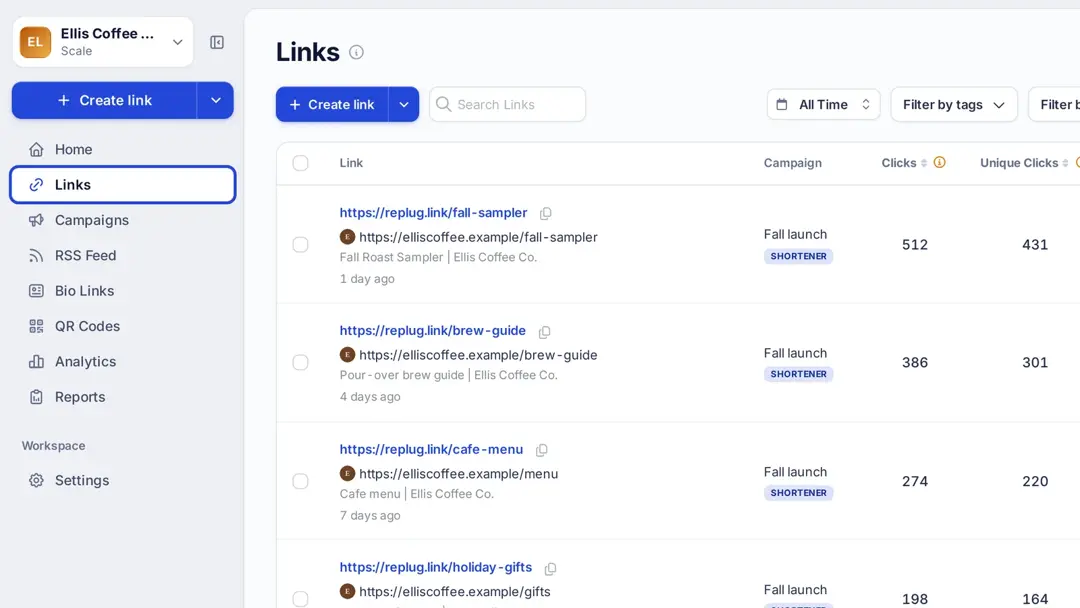
Replug is a link management platform that keeps short links, bio pages and QR codes in one list. With Replug’s URL shortener online you get:
- Custom domains on every plan (3 on Free) and custom slugs from Essentials.
- Link previews: customize the title, description and image that show when you share a link, plus custom favicons (Essentials and up).
- Deep links that open 79 apps on iOS and Android (Scale and Agency).
- Password protection, link expiry, destination edits and bulk import/export (Scale and Agency).
- Tags and campaigns to group links; a campaign can carry a CTA or retargeting pixels.
- SMS links for text campaigns, and link virus scanning and bot detection on every plan.
Traffic routing
Capsulink smart links
Capsulink calls its routing feature “smart links.” Its smart-links page says you can:
- Route by device and platform: mobile or desktop, Android or iOS, tablet or phone.
- Route by location and language: send international visitors to the right page.
- Schedule redirects: by season, custom time period or hourly timetable.
- Split traffic between several destinations for A/B testing.
The number of smart links is set per short link: 3 on Pro, 15 on Business and 60 on Ultimate, according to Capsulink’s pricing page. The free Starter plan doesn’t include smart links.
Replug traffic routing
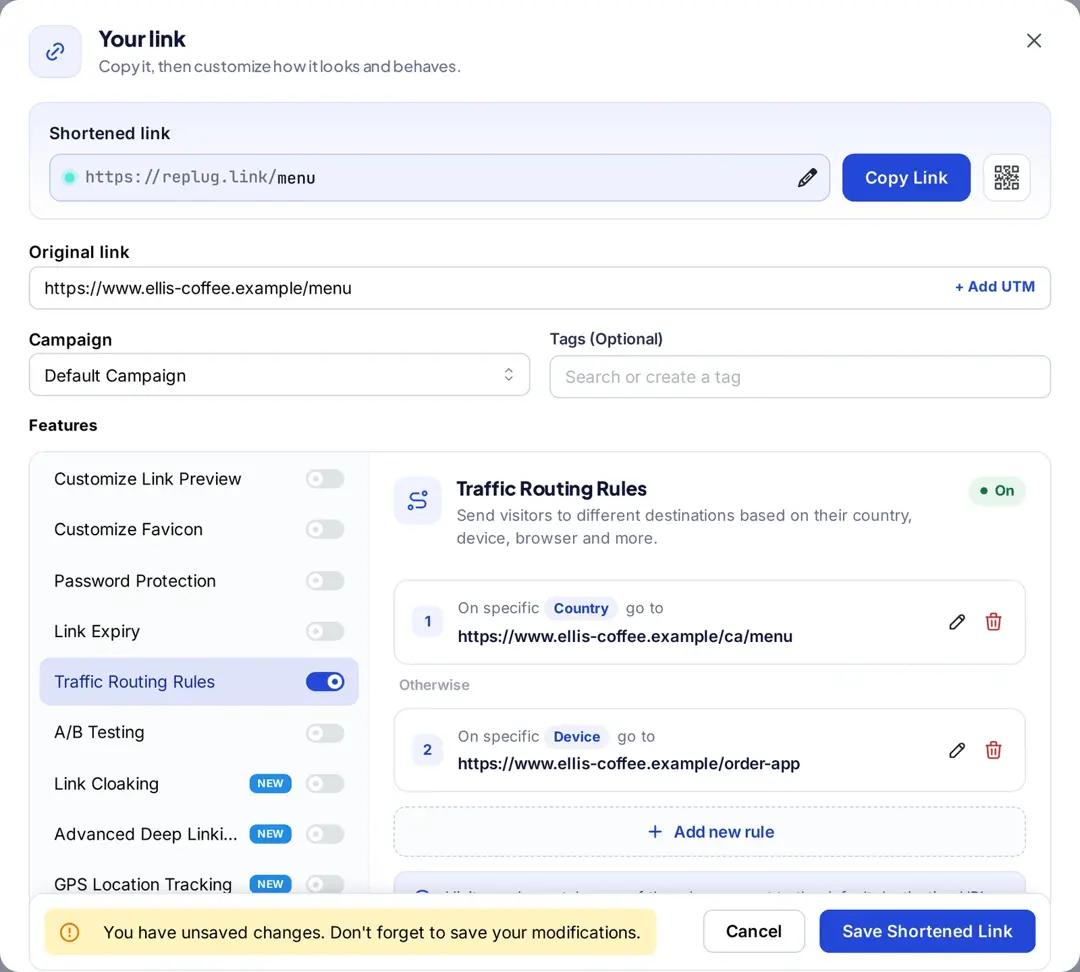
Replug’s traffic routing sends each visitor to a destination based on rules. You can add up to 10 rules to a link; Replug checks them from top to bottom and sends anyone who matches none to the link’s main URL (Scale and Agency).
- Dynamic link rotator: split one link across up to 20 destinations with weights you set (A/B testing).
- Location: country, region or city.
- Device and software: device type, browser and operating system.
- Time: date and day of the week.
- IP address: for example, to send your office to a test page.
Each click is recorded with the rule that routed it, so you can see how many visitors every rule sent.
Link analytics
Capsulink analytics
On the free Starter plan, Capsulink shows basic link statistics for the last 30 days: clicks by country and language, device and OS, referrer and time. Paid plans add full statistics for any period, private statistics, statistics export to CSV, QR code scan statistics and email notifications about your links, according to its pricing and smart-links pages.
Click allowances are generous: 5,000 clicks a month on Starter, 50,000 on Pro, 500,000 on Business and 5,000,000 on Ultimate. If you go over, Capsulink says your links keep working but show ads.
Replug analytics
Replug’s link tracking shows clicks, unique clicks and QR scans for every link, campaign and bio page, broken down by country, city, device, browser and referrer.
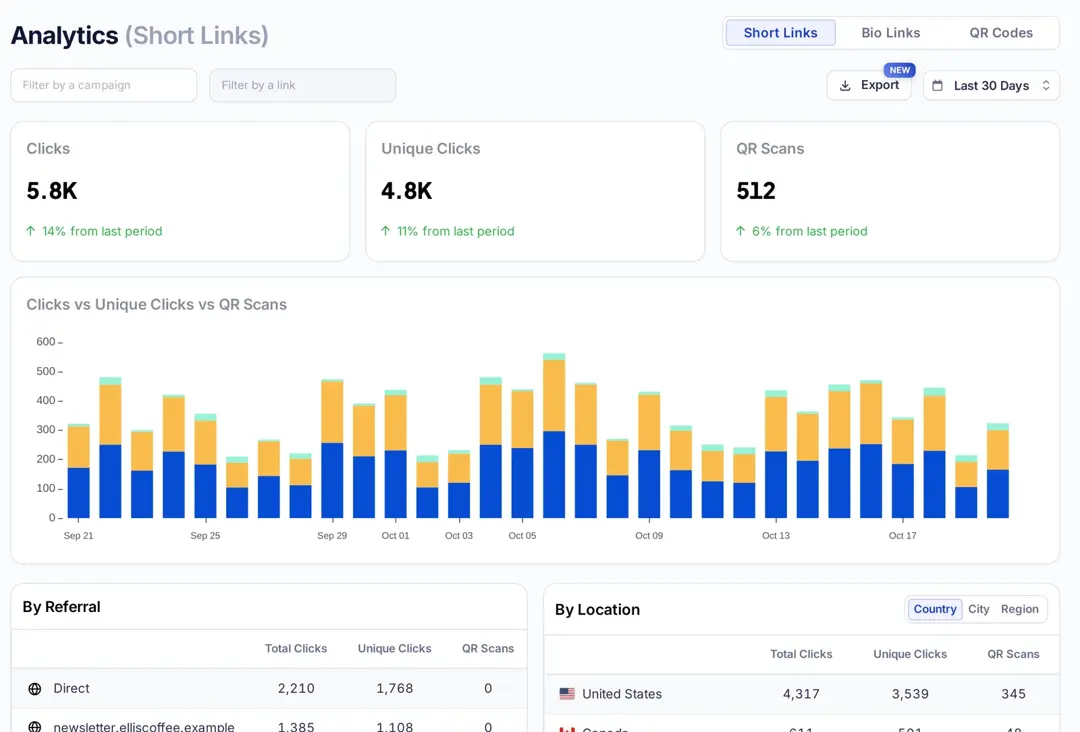
- History: 14 days on Free, 90 days on Essentials, unlimited on Scale and Agency.
- UTM builder: on every plan, so the visits also show up by campaign in Google Analytics.
- Unique clicks: separate from total clicks, with click bot detection.
- Campaign tracking: compare all links in a campaign.
- Bio link analytics: views, clicks per link and click-through rate.
- Reports: automated email reports from Essentials and custom client reports on Agency.
Replug’s click allowances are smaller than Capsulink’s at the same price: 1,000 a month on Free, 10,000 on Essentials, 50,000 on Scale and 250,000 on Agency. Replug says your links keep working if you reach a limit.
Bio links
Capsulink bio links
We didn’t find bio link pages on Capsulink’s pricing or features pages.
Replug bio links
Replug bio links let you build a link-in-bio page for Instagram, TikTok or YouTube and manage it from the same dashboard as your short links:
- Themes: pre-built themes on every plan; custom themes, background images and block animations from Essentials.
- Blocks: links, cards, social icons, video, music, text and an RSS feed block that shows your latest posts.
- Your URL: a mylinkinb.io address with your own name, or your custom domain.
- Verified badge: Scale and Agency.
- Retargeting pixels on bio pages, from Essentials.
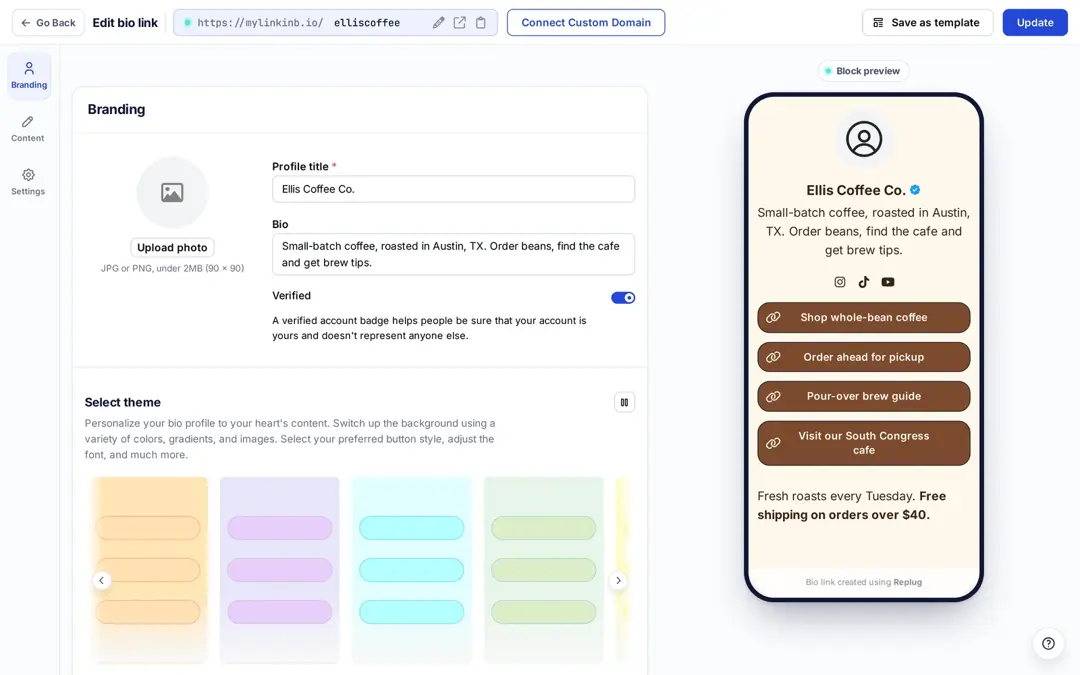
Bio links are common on Instagram, TikTok, Facebook and X (Twitter), where a profile has limited room for links. The Free plan includes 2 bio pages.
Retargeting and A/B testing
Both tools can add retargeting pixels to links and split traffic between destinations; they differ in plan levels and setup.
Capsulink retargeting and A/B testing
- Retargeting scripts and pixels: added to your branded domains on Pro and up. Capsulink says this works with Google Analytics, Google Tag Manager, the Facebook Pixel and more.
- A/B testing: smart links can split a short link’s traffic between several destinations, according to its smart-links page.
Replug retargeting and A/B testing
- Pixel networks: Meta (Facebook), Google Ads, Google Analytics 4, Google Tag Manager, X, LinkedIn, Pinterest, TikTok and Quora, or custom code, according to Replug’s retargeting page.
- Where pixels fire: on short links (even to sites you don’t own), bio pages and QR codes.
- Plans: 1 pixel on Essentials, unlimited on Scale and Agency.
- Split URL testing: up to 20 destination URLs per link with the traffic share you choose, and clicks for each variation (Scale and Agency). See link A/B testing.
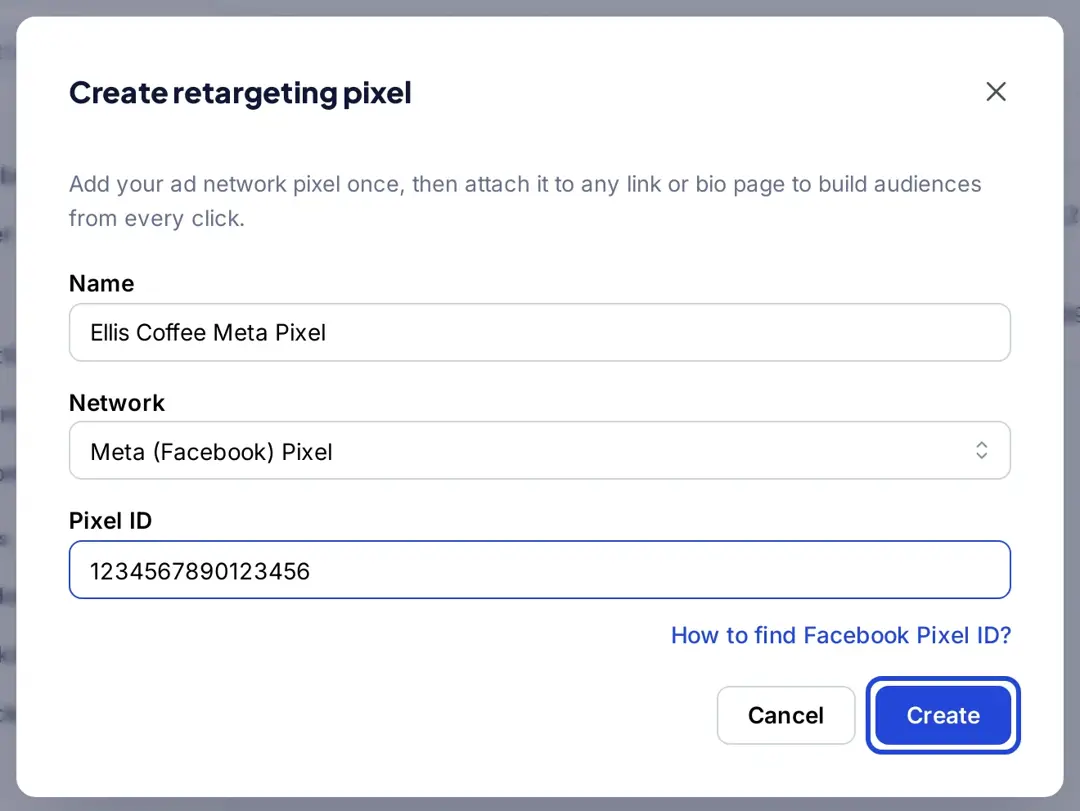
Replug counts clicks, not sales or sign-ups. To measure conversions, keep UTM tags on your links and check your analytics tool or ad platform.
Custom CTAs
Capsulink call-to-action
We didn’t find call-to-action overlays on Capsulink’s pages.
Replug call-to-action
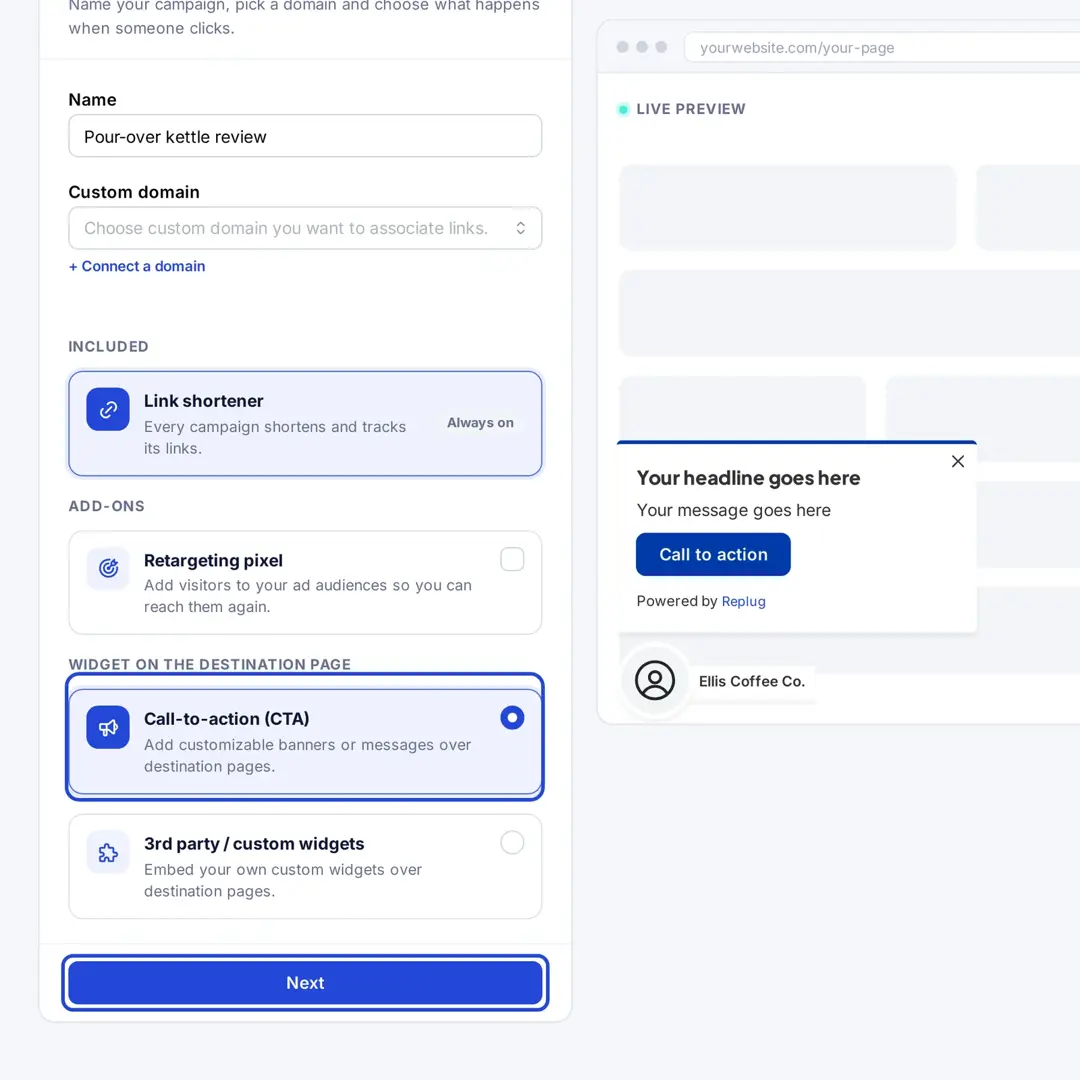
Replug lets you add custom CTAs (call-to-actions) to the pages you share, through a campaign (Essentials and up):
- CTA types: a button, a link or a form that sends email sign-ups to your email tool.
- Styles: social classic, social modern, banner, pop-up, scroll box, exit intent and bridge page.
- Your branding: headline, message, CTA image, colors and position.
- Analytics: the links in a CTA campaign are tracked like any other Replug link.
QR codes
Capsulink QR code
- QR codes for short links: on every plan, including Starter.
- Scan statistics: Capsulink tracks scans of its QR codes, according to its pricing page.
Replug QR codes
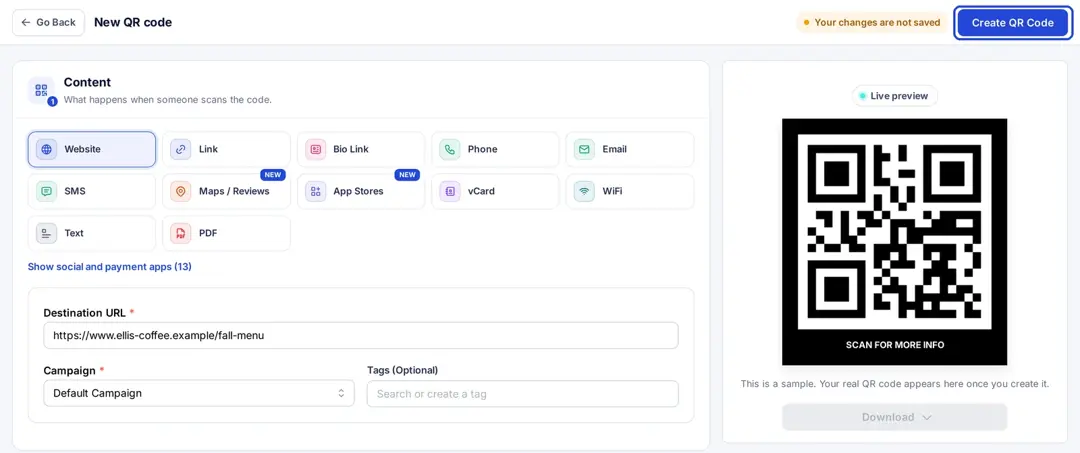
- Dynamic QR codes: 10 on Free, 100 on Essentials, unlimited on Scale and Agency.
- Destination edits: change where a printed code points without reprinting it (Scale and Agency).
- Scan analytics: scans by location, device, browser and referrer.
- Design: custom colors, shapes and frames from Essentials, a logo in the code on Scale and Agency, downloads in SVG, PNG, JPEG or WEBP.
Conclusion
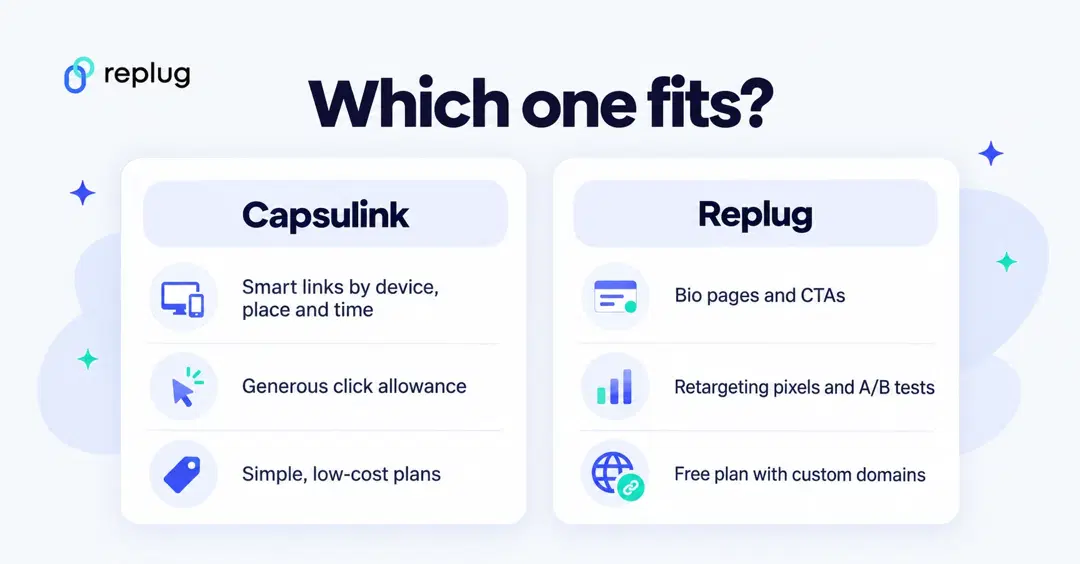
When comparing Capsulink vs. Replug, the decision depends on what you need your links to do.
If you mainly need branded short links and smart redirects by device, location and time, and you send a lot of clicks on a small budget, Capsulink covers that at a low price.
If you also want bio link pages, CTA overlays, more retargeting networks, A/B tests with up to 20 URLs, deep links or a white-label dashboard for clients, Replug is the better choice.
A one-on-one pricing comparison – Capsulink vs. Replug
Monthly prices from each vendor’s pricing page, checked October 2026. Capsulink gives two months free on yearly billing, offers a 7-day trial on paid plans and refunds the first payment within 30 days. Replug has a free plan, a 14-day trial on paid plans and discounts for yearly billing.
| Capsulink | Replug |
|---|---|
| Starter – Free (5,000 clicks a month) | Free – $0 (1,000 clicks a month, 100 links, 3 custom domains) |
| Pro – $10/month (50,000 clicks, 1 custom domain) | Essentials – $19/month, or $9.50/month billed yearly (10,000 clicks) |
| Business – $40/month (500,000 clicks, 5 domains, 10 seats) | Scale – $39/month, or $23.40/month billed yearly (50,000 clicks, 3 users) |
| Ultimate – $160/month (5,000,000 clicks, unlimited domains, 40 seats) | Agency – $99/month, or $79.20/month billed yearly (250,000 clicks, 10 users, white label) |
Pros and cons comparison – Capsulink vs. Replug
| Capsulink | Replug | |
|---|---|---|
| Pros | High click allowances for the price, smart links by device, location, language and time, unlimited short links on every plan | Bio pages, CTAs, retargeting pixels for many networks, routing and A/B tests in one tool, free plan with custom domains, white label on Agency |
| Cons | No bio pages or CTA overlays listed, no smart links or custom domains on the free plan | Smaller click allowances per plan, routing and A/B testing only on Scale and Agency |
FAQs on Capsulink vs. Replug

Manahil