Quick answer: to set up a Facebook custom audience, open Audiences in Meta Ads Manager, select Create audience > Custom audience, choose a source (for example Website, Customer list or Instagram account), set the rules and retention window, name the audience and click Create audience (Meta Business Help). Once it shows Ready, select it in an ad set to target or exclude those people.
Facebook and Instagram are where many businesses run their ads, and custom audiences are how you reach the people who already know you there: site visitors, customers, video viewers and followers.
For businesses handling multiple campaigns, ad audiences, and tracking links across various sources, a reliable link optimization platform such as Replug can make link management, analytics and retargeting far simpler and more organized.
Below: what custom audiences are, the types you can create, step-by-step setup for website, Instagram engagement and customer list audiences (current Meta Business Help steps, checked October 2026), and how to use them.
What are custom audiences?
A custom audience is a Meta ad-targeting option built from your own data sources or from engagement on Meta technologies, for retargeting campaigns, new customer campaigns and other targeting (Meta Business Help). It is different from targeting by interests, behaviors and demographics, which you set in the ad set or a saved audience.
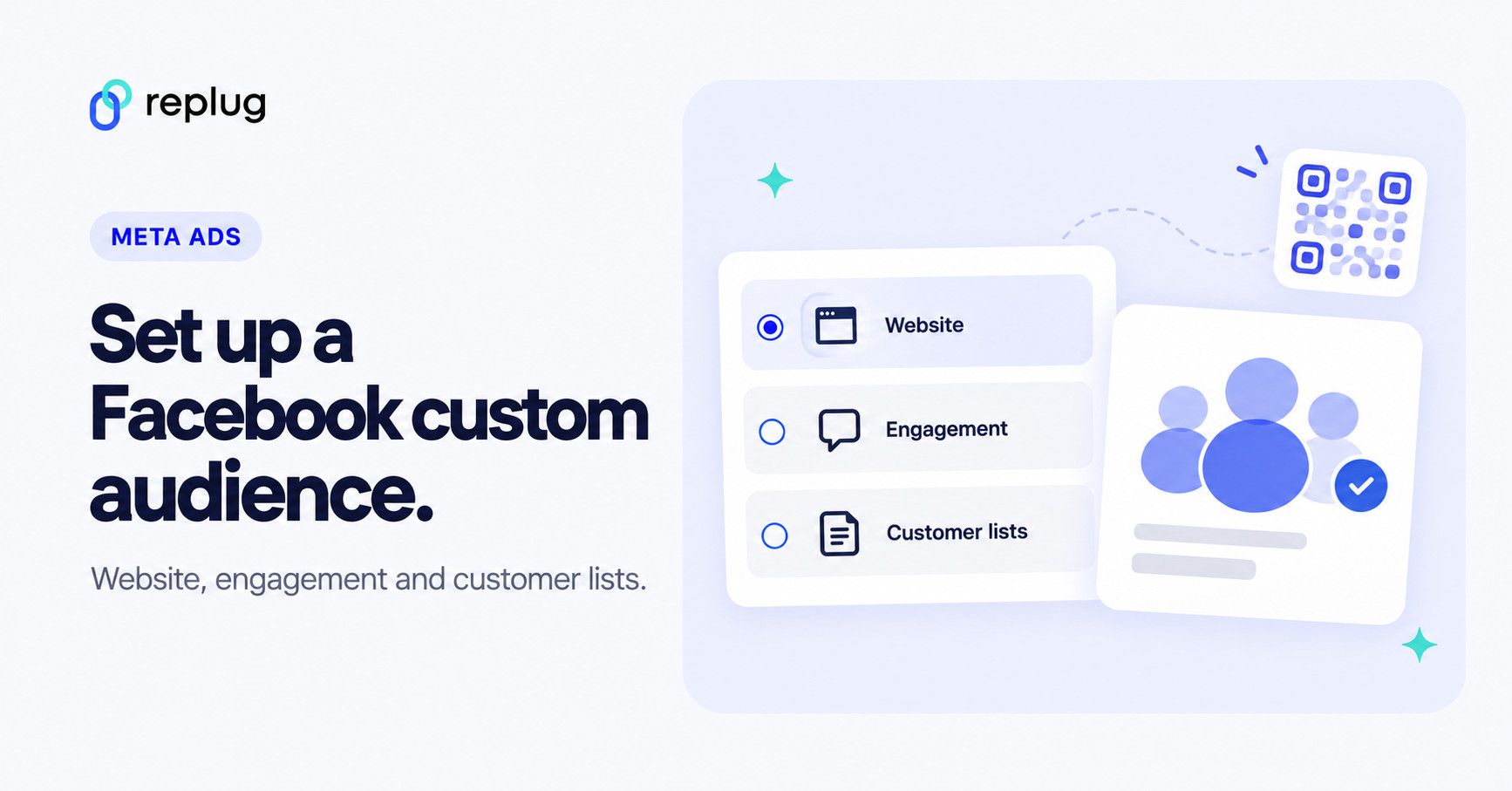
You can build one from a customer list (emails or phone numbers, which Meta hashes before matching), from website visitors tracked by the Meta Pixel, from app activity, from your product catalog or offline activity, or from people who engaged with your content on Facebook, Instagram, WhatsApp and Threads (Meta Business Help).
Once you have created a Custom Audience, you can run targeted ad campaigns on Facebook, Instagram, or Audience Network. These ads can be in images, videos, or carousels, and they will be displayed only to the people in your custom audience.
Also read: How to create a call to action using a URL shortener?
Are custom audiences still effective in 2026?
Custom Audiences are still an essential tool for advertisers and marketers, as they allow businesses to target specific groups of people based on their past interactions with the company, such as website visits, app usage, and email engagement. This targeting can be highly effective as it allows businesses to focus their advertising efforts on people who have already shown an interest in their brand or products.
However, results depend on the quality of your audience data, the relevance of your ads and privacy changes. Meta notes that website custom audiences may not include events from some iOS 14 users and that European privacy rules can affect campaigns in Europe (Meta Business Help). Meta’s AI targeting, Advantage+ audience, is not recommended for retargeting campaigns, so custom audiences remain the way to retarget and to exclude people (Meta Business Help).
What type of Facebook custom audience can you use?
Meta groups custom audiences into “your sources” and “Meta sources.” These are the ones most advertisers start with:
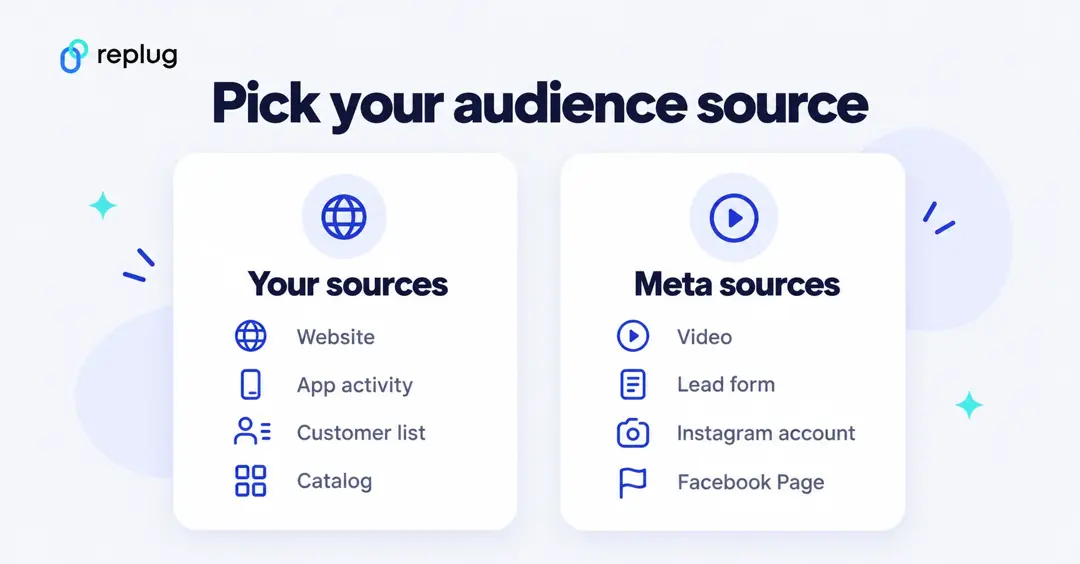
1. Customer list custom audiences
Upload a list of customer emails, phone numbers or other identifiers, and Meta matches it to people on its platforms after hashing the data. Use it to reach existing customers or subscribers with relevant ads, promote repeat purchases, or exclude customers from campaigns meant for new people. Meta’s formatting guidelines ask for a CSV or TXT file with at least 1,000 customers (Meta Business Help).
2. Website custom audiences
Built from the Meta Pixel on your site: everyone who visited, people who visited specific pages, visitors by time spent, or people who triggered an event such as AddToCart. Use it to retarget people who showed interest but didn’t buy or sign up.
Note: If you share your landing or campaign URLs publicly, say via social media, emails, or ads, you might also want to use short links for Facebook to keep links neat and trackable. Replug can also fire your Meta pixel when someone clicks a short link, so clicks to pages you don’t own can feed a website custom audience (see our guide to Facebook retargeting ads).
3. App activity custom audiences
People who took specific actions in your mobile app, recorded with Meta app events (the Facebook SDK or a mobile measurement partner). Use them to bring back people who abandoned a cart in the app or stopped using it.
4. Engagement custom audiences
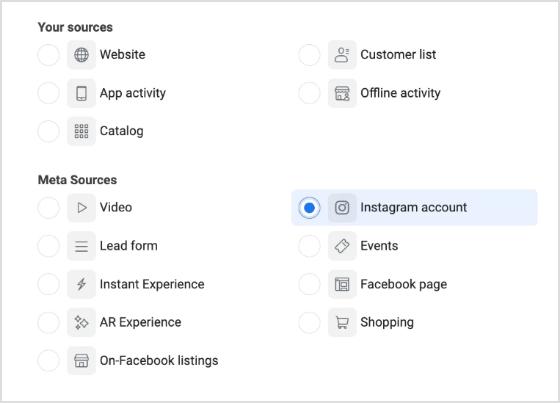
People who engaged with your content on Meta technologies. Meta lists these engagement sources: video, lead form, Instant Experience, shopping, Instagram account, events and Facebook Page. The audience refreshes constantly within the time period you choose (Meta Business Help).
5. Lookalike custom audiences
Strictly speaking, a lookalike is its own audience type built from a custom audience: Meta finds new people who are similar to your source. The source needs at least 100 people; Meta generally recommends 1,000 to 5,000, and people in the source are excluded from the lookalike (Meta Business Help).
Meta also offers catalog, offline activity, Instant Experience, events, shopping and On-Facebook listings audiences. You can create up to 500 custom audiences per ad account (Meta Business Help).
Also read: Getting Started with Meta Pixel: The Key to Successful Retargeting
How to create a custom audience on Facebook?
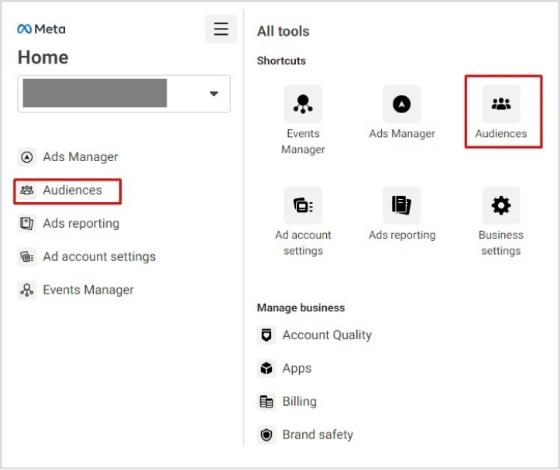
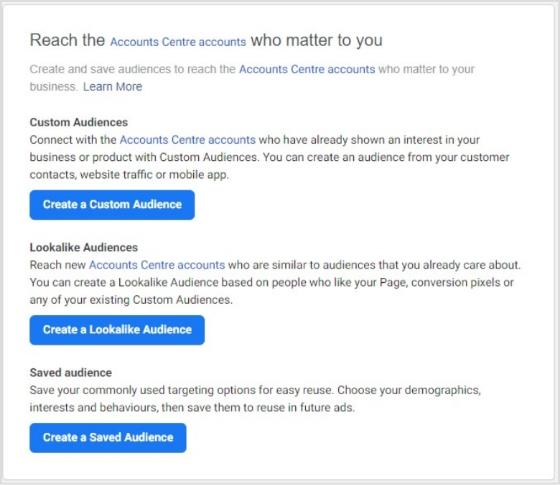
Every custom audience starts in the Audiences section of Meta Ads Manager (in the menu or under All tools). Select Create audience, then Custom audience; if you have never made one, select Create a custom audience. The screenshots below are from 2023; Meta’s current help pages describe the same steps.
Also read: 8 Best Retargeting Platforms To Retarget Your Potential Audience
Creating a website custom audience
Before you begin, make sure your Meta Pixel is active (Meta Business Help).
Step 1: Select Website under Your sources
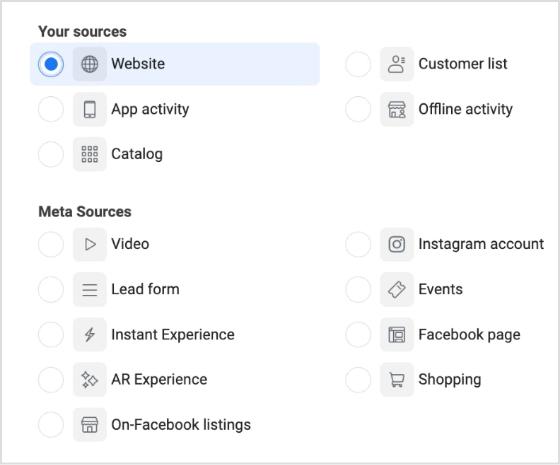
Select Website, then Next.
Step 2: Define rules
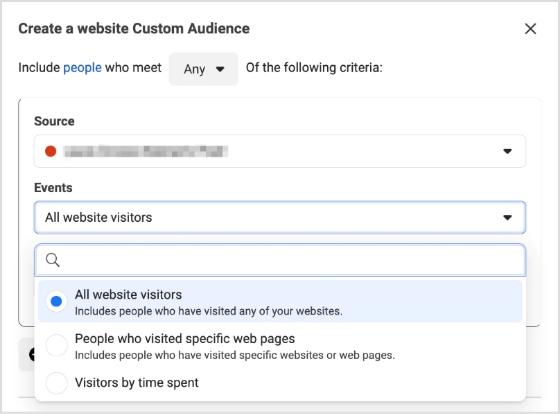
Choose to include people who meet Any or All of your criteria, pick your pixel as the Source, then choose the Events:
- All website visitors.
- People who visited specific web pages (type the URLs or paste parameters).
- Visitors by time spent.
- People who triggered a specific event, such as AddToCart or Purchase, optionally filtered by a parameter such as a plan type (Meta Business Help).
Set the Audience retention in days. Optionally, Include more people or Exclude people; you can use up to 5 rules per audience. The audience starts filling from the day you create it; it doesn’t backfill (Meta Business Help).
Step 3: Name and describe the custom audience
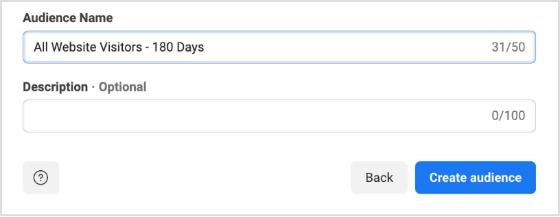
Optionally choose an Audience label, then give the audience a clear name (for example “All website visitors, 180 days”) and an optional description.
Step 4: Click “Create audience”
You return to the Audiences page. Wait until the status shows Ready before you rely on the audience.
Also read: 9 ways to multiply your sales with eCommerce retargeting
Creating an engagement custom audience
Step 1: Select a Meta source
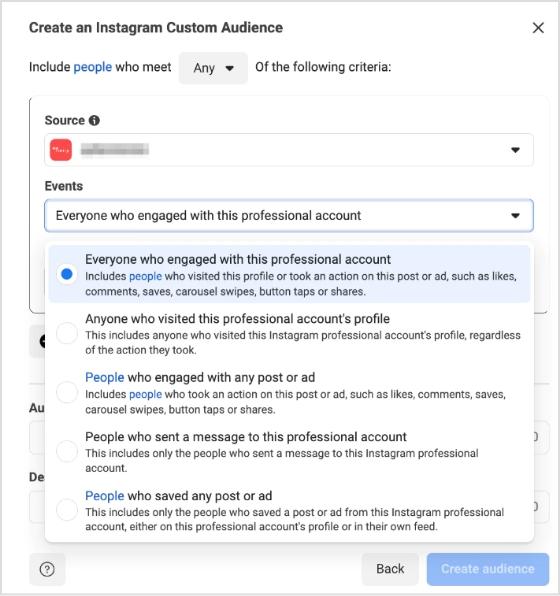
There are several Meta sources. As an example, we’re selecting Instagram account, which only works with an Instagram professional (business or creator) account (Meta Business Help). Click Next.
Step 2: Establish rules
Choose the Source (your Instagram account) and the Events, for example:
- Everyone who engaged with this professional account.
- Anyone who visited this professional account’s profile.
- People who engaged with any post or ad.
- People who sent a message to this professional account.
- People who saved any post or ad.
Set the Audience retention (up to 365 days). Exclusion rules override inclusion rules if someone matches both (Meta Business Help).
Step 3: Name the audience
Give it a clear name and an optional description, for example IG-PROFILE-VISIT-180 for people who viewed your profile in the last 180 days.
Step 4: Click “Create audience”
Meta builds the audience and keeps it updated within the time period you chose.
Creating customer list custom audiences
Step 1: Prepare your customer list
Prepare a CSV or TXT file. Meta asks for at least 1,000 customers and at least one main identifier: email, phone number (with country code), mobile advertiser ID, Facebook app user ID or Facebook Page user ID. Adding more identifiers, such as first name (fn), last name (ln), city (ct), state (st), ZIP code (zip) and country (country, as a two-letter ISO code), improves matching (Meta’s customer list formatting guidelines). A header row with Meta’s column names looks like this (fictional data):
email,phone,fn,ln,ct,st,zip,country
jordan.ellis@example.com,+15125550142,Jordan,Ellis,Austin,TX,78701,US
Only upload data you have a legal basis to use, and never include prohibited information such as health or financial information (Meta Business Help).
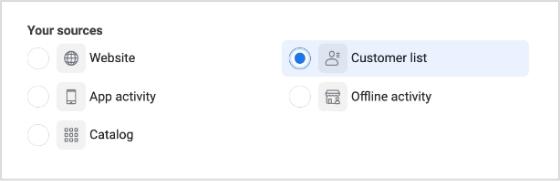
Step 2: Select Customer list
In Create audience > Custom audience, select Customer list and click Next.
Step 3: Add your list
Choose whether the audience is for Inclusions or exclusions or Only exclusions (an exclusion-only audience can’t be changed later or used for lookalikes), then Upload a file or Paste comma-separated values. Add an audience name, accept the custom audience terms and select Next (Meta Business Help).
Step 4: Map identifiers and click “Import and create”
A check mark means an identifier is mapped and ready to be hashed; an exclamation point means it needs a fix or was left out. Then select Import and create. The audience shows Populating until it is Ready. If you don’t update a list for over 30 days it shows Outdated, and the Match score column (out of ten) tells you how well your identifiers matched (Meta Business Help).
Also read: How To Utilize Replug for Facebook Retargeting Ads?
How to use your Facebook custom audiences?
When you create an ad, you can target any custom or lookalike audience in the ad set, or exclude it so those people don’t see the ad (Meta Business Help). Here is how advertisers typically use each one.
Understanding retargeting campaigns
Retargeting keeps your products in front of people who already showed interest. Target a website custom audience of people who viewed products or your pricing page in the last 30 days but didn’t buy, and show them the product, a review or an answer to a common question. It works beyond ecommerce too: B2B software, restaurants and local services can all remind past visitors what they offer. Read more on how to drive conversions from social traffic.
Engage repeat customers
Upload a customer list of past buyers and show them new arrivals, refills or a loyalty offer. The same list works as an exclusion in campaigns meant for new customers, so you don’t pay to reach people who already bought.
Boost user engagement with apps
An app activity custom audience lets you reach people who installed your app but haven’t opened it lately, or who added items to a cart in the app, with an ad that brings them back to that step.
Grow your Facebook following
To grow your Page, target a custom audience of website visitors or customers and exclude people who already follow your Page, so you don’t pay for reach you already have.
Use lookalike audiences
Create a lookalike from your best source audience, such as buyers, people who added to cart or engaged Instagram followers, to reach new people who resemble them. Smaller percentages match the source more closely; larger ones reach more people. Meta notes that a source made of your best customers can work better than one with all customers (Meta Business Help).
Set up pixel events
Custom audiences get more useful with Meta Pixel events. The Meta Pixel can record actions such as adding a product to the cart, searching or subscribing, and you can build an audience from a specific event, even filtered by a parameter such as plan type (Meta Business Help). That lets you target people by what they did, not just which page they saw.
For instance, a travel site could retarget people who searched for flights but didn’t book with an ad for that route, and exclude everyone who already completed a booking.
Also read: Getting Started with Meta Pixel: The Key to Successful Retargeting
How to grow your custom audience?
Growing your custom audience can be vital to scaling your business and optimizing customer interactions. Here are tips that will help you grow your custom audience quickly and effectively:
Make effective use of Facebook Ad types
Utilizing suitable Facebook ad types is essential to growing your Facebook Custom Audience. When creating an ad, you should have a custom audience ready to track whoever engages with it, and this will help you retarget them further down the line, ensuring no one goes unnoticed.
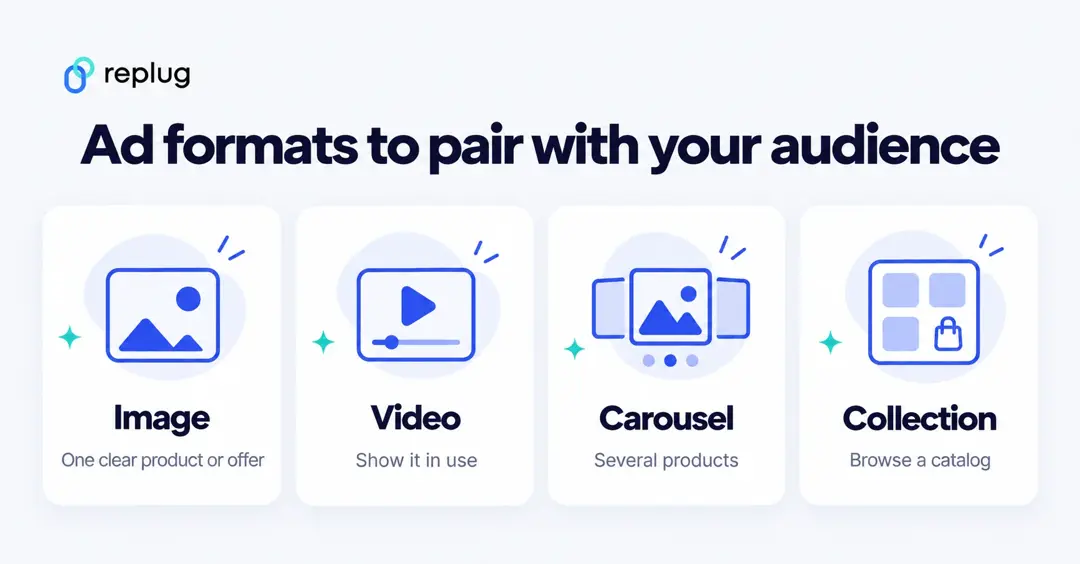
Digging in more, another effective method is focusing on Awareness objectives which allows you to reach a higher number of people in your target group. With awareness-targeted campaigns, you’ll likely get more followers and fans than any other type of ad because they are apparent and cost-effective. You can also use lead ads for people interested in learning more about your product or service. Lead forms let visitors quickly fill out information without leaving the platform, making it easy for them to become potential customers. Remember carousels and collection ads that are perfect for showcasing multiple products in a visually appealing and interactive way.
Develop creative content
Now that you know your audience and how you should target them, it’s time to get creative! Different audiences respond to different content, so test video, image and carousel versions for each audience instead of assuming one format works for everyone.
In addition, consider investing in sponsored content; allowing you to pay for influencers to promote your brand on Instagram or other social platforms can be a great way to introduce products and services to new people who may already have an affinity for the influencer.
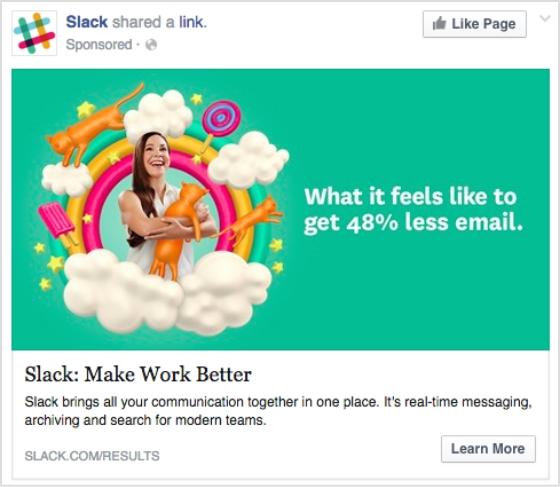
Remember images. Captivating visuals can help capture attention and inspire engagement. You may also want to experiment with interactive elements such as surveys or polls that make it easier for audiences to get involved and interact with your brand directly.
Also read: Content marketing best practices
Analyze performance
After running your campaign for some time, look at the results and adjust accordingly based on what works best (or doesn’t). You can quickly identify which ads perform better than others by splitting tests into groups and A/B testing to determine what resonates most with specific subsets of your target audience; this could be done via split tests, polls, or simply gauging online feedback related to the campaign elements like visuals or textual content used across ads, etc.
For example, if you’re running an ad campaign for a new product launch and want to see what kind of visuals work best, consider running multiple versions featuring different photos and videos. Then, track the response from each version using analytics like engagement rates and post likes. This will help you gain valuable insights into which type of creatives resonate best with different people, allowing you to tailor future campaigns accordingly.
Other methods for analyzing performance include surveying customers or analyzing customer data patterns. Netflix is a good example; they use customer data patterns to customize their home page for viewers so that individual users receive personalized recommendations based on their past viewing habits. Using similar tactics in your campaigns can provide followers with more relevant content explicitly tailored toward them.
Optimize your ads
Optimization means acting on what you learned: pause ads and audiences that don’t perform, shift budget to the ones that do, refresh creatives when results drop, and keep exclusions up to date so people who already converted stop seeing the same ad.
Trending:
What Is a TikTok pixel & learn how to set it up
FAQs

Arslan Jadoon