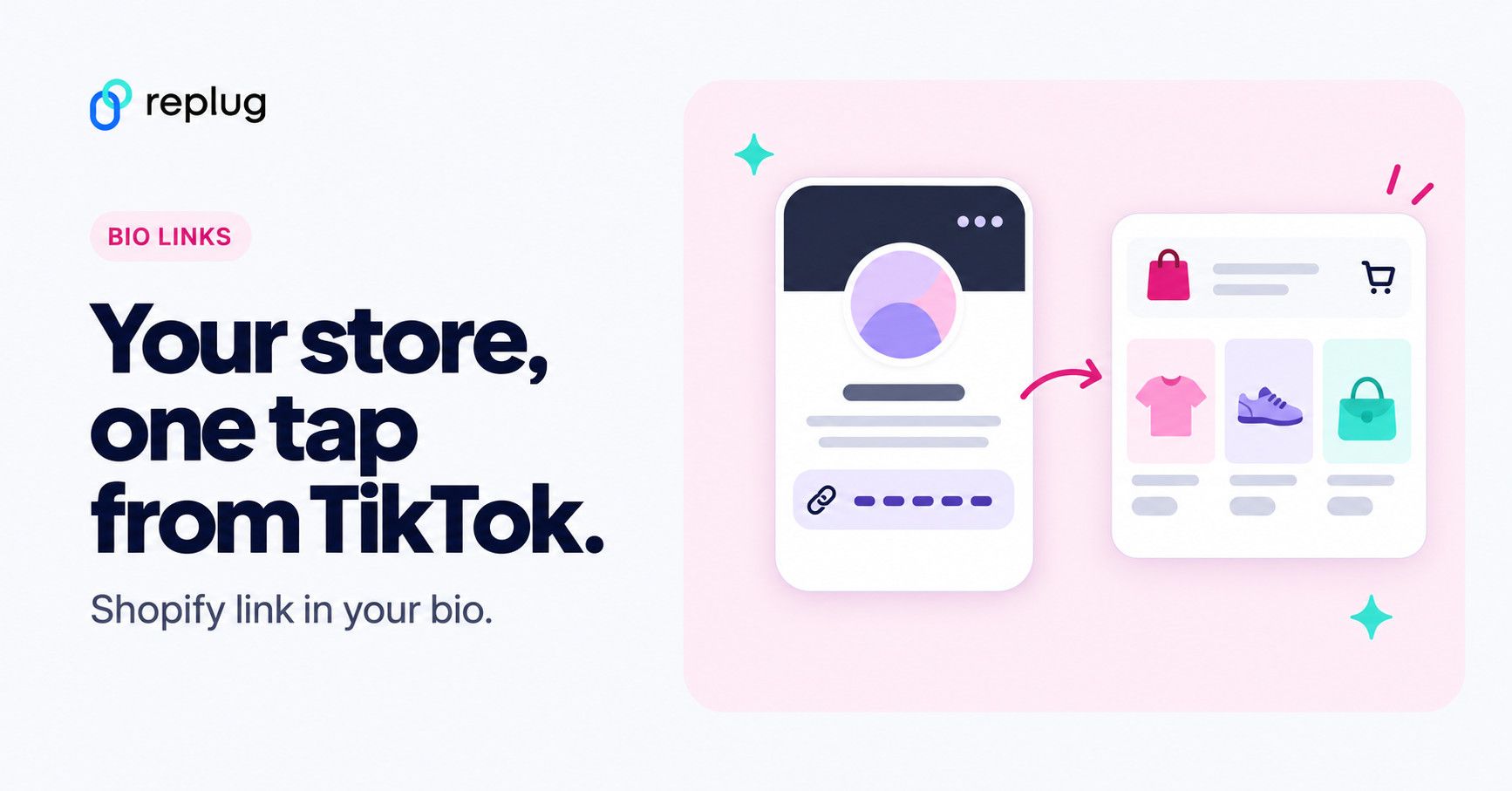
In a world where short videos drive big purchases, TikTok has become a goldmine for eCommerce brands. Shopify can connect your catalog to TikTok Shop, but the quickest first step is adding your Shopify store link to your TikTok bio is one of the smartest moves you can make.
Why? Because it bridges the gap between content and checkout. And TikTok said in its newsroom in September 2021 that more than 1 billion people come to TikTok every month, so it’s a good place to grow your visibility and sales.
Let’s walk through how to add a Shopify link to TikTok bio, and how to do it better.
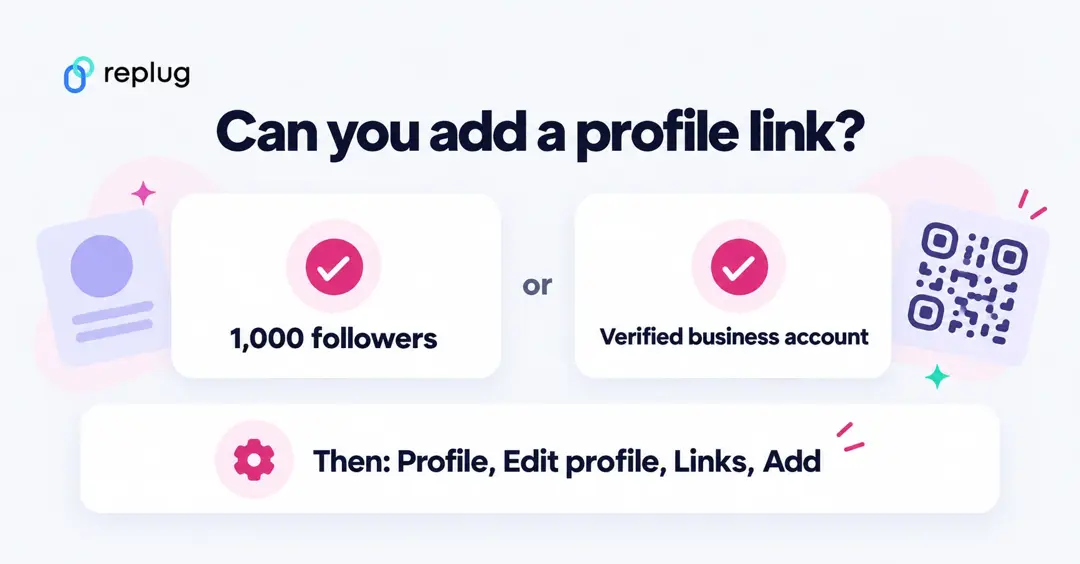
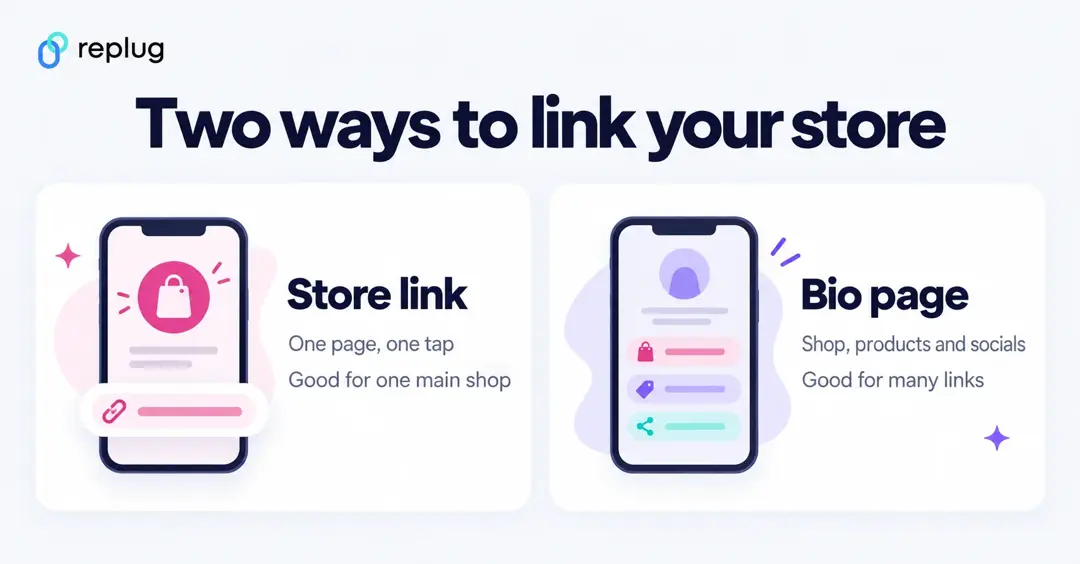
Quick answer: copy your store URL (your custom domain or your-store.myshopify.com), then in the TikTok app go to Profile > Edit profile, tap Add next to Links and paste it. TikTok only shows that option if you have at least 1,000 followers or a Verified Business Account, per TikTok Support. Want more than one link? Use a bio page with your store, products and socials, and put that in TikTok instead.
Why add a Shopify link to TikTok bio?
If you’re using TikTok to grow Shopify sales, don’t let your traffic go to waste.
Adding your Shopify store link to your TikTok bio bridges the gap between content and conversions. Instead of just views and likes, you give your audience a direct path to browse, shop, and buy, without making them search or guess. It’s one of the simplest ways to turn TikTok buzz into actual sales.
Here’s why:
- Drive traffic to your website: Make it easy for TikTok viewers to become customers.
- No need for manual searches: Users don’t need to leave TikTok to Google your store.
- Simplifies the sales process: One tap takes them directly to your product or collection.
- Multi-platform promotion: Leverage TikTok’s algorithm with seamless store access.
- Grow your social presence: Connect all your platforms from one place.
- Boost credibility: A clickable website link makes you look more reputable and trust-worthy
- Stay competitive: Big brands do it. You should too.
What do you need to add a clickable link in TikTok bio?
Before you add your Shopify link, make sure you have the essentials:
- Verified Business Account: TikTok lets Verified Business Accounts add a website link without the follower minimum, per TikTok Support. A business account that isn’t verified still needs 1,000 followers.
- 1000+ followers (for personal accounts): If you’re using a personal profile, you need to hit the 1,000-follower mark to unlock link sharing.
- Mobile access: Link in the TikTok bio can only be adjusted from the TikTok mobile app.
How to add a Shopify Store link to your TikTok bio
Method 1: Using TikTok’s built-in feature
- Open your TikTok app and go to your profile.
- Tap “Edit profile”.
- Next to Links, tap Add and follow the steps to paste your Shopify store link.
- Tap “Save.”
That’s it. Your store link is now live for all visitors to click.
Which URL to paste: every Shopify store gets a myshopify.com address when it’s created, and you can connect a custom domain such as www.ellis-coffee.example, per Shopify Help. Use the custom domain if you have one, since that’s the name shoppers recognize. You can also link straight to a collection page (for example /collections/fall-coffee) if one collection is what your videos promote.
TikTok opens profile links in its in-app browser and limits how far people can click through chains of links there, so it recommends direct links, per TikTok Support. The same caution applies to link-in-bio pages; adding a Linktree to TikTok covers how that plays out.
Selling inside TikTok: TikTok Shop
If you want people to buy without leaving TikTok, Shopify’s TikTok sales channel connects your catalog, inventory and orders to TikTok Shop. According to Shopify Help, your store needs a verifiable address, a return policy page, an online store and a TikTok for Business account, and it has to be located in one of the supported countries (including the United States). You add it from Settings > Sales channels in your Shopify admin by adding the TikTok channel and clicking Connect. TikTok Shop works alongside your bio link; it doesn’t replace it.
Related: How to add your Discord link to TikTok bio (2 easy ways)
Method 2: Using Replug’s bio link feature
Replug lets you create a fully customized bio link page using its free bio link tool:
- Add multiple Shopify products and links, including a Shopify block that shows products from your store (Essentials and up)
- Track views and clicks on every link
- Run retargeting ads. (pixels on bio pages are on Essentials and up)
And more (we’ll discuss that later, don’t worry).
Here’s how to do it:
Step 01: Open the Replug app
Open the Replug app and sign in to your account. Create an account if you don’t already have one.
Step 02: Create a new bio link page
- Go to Bio Links and create a new bio link page.
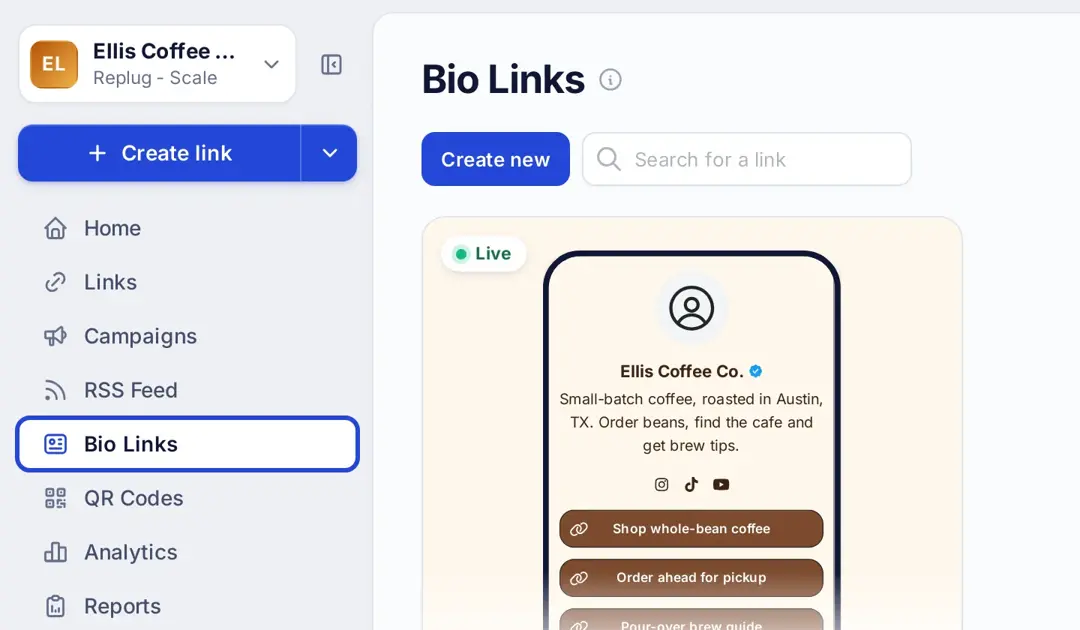
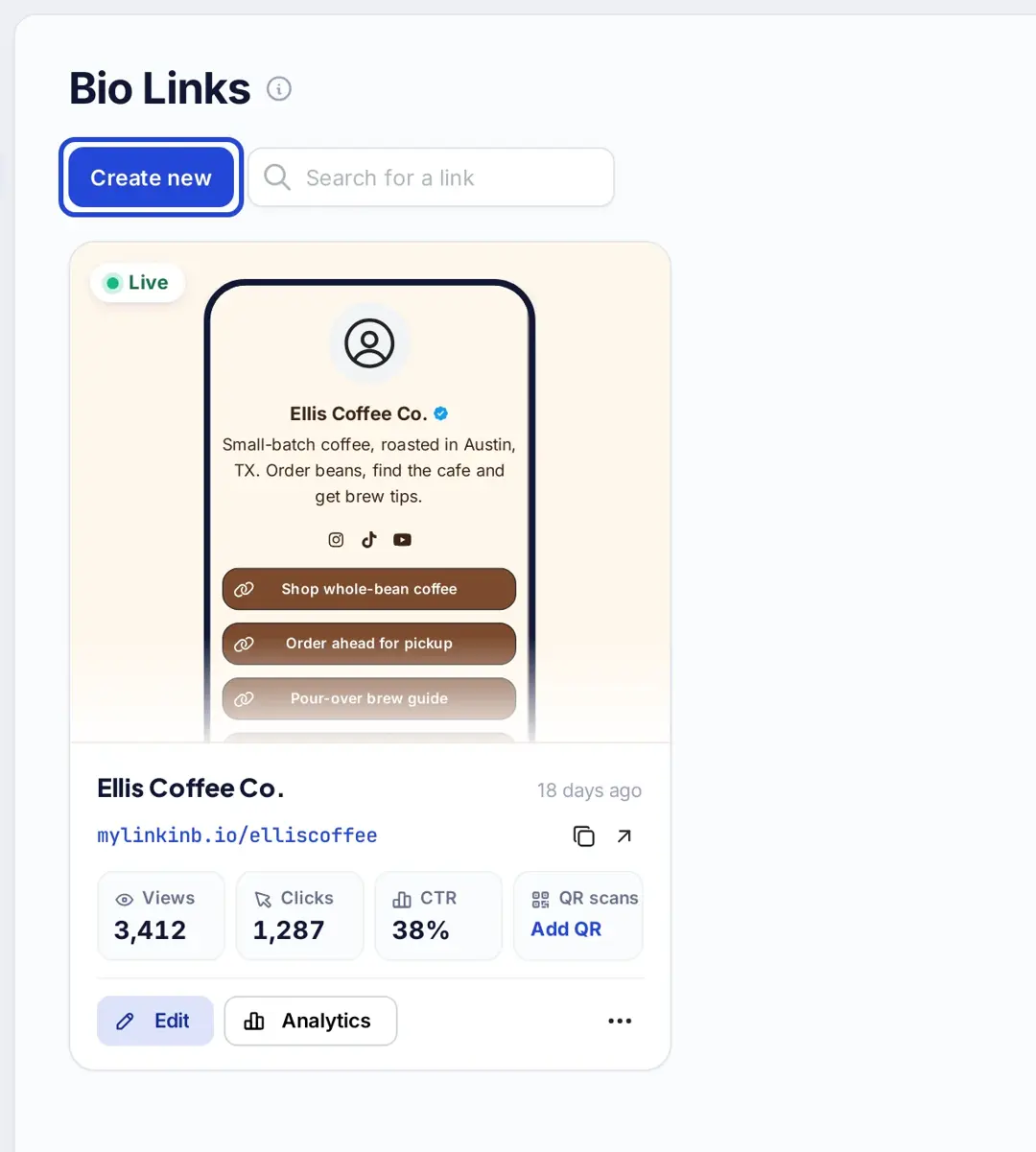
- Customize your bio link page with a title, description, theme and colours on the Branding tab (background images and custom themes are on Essentials and up).
- Publish your bio link.
Step 03: Add content blocks
- Head to the Content section and start customizing your bio link page:
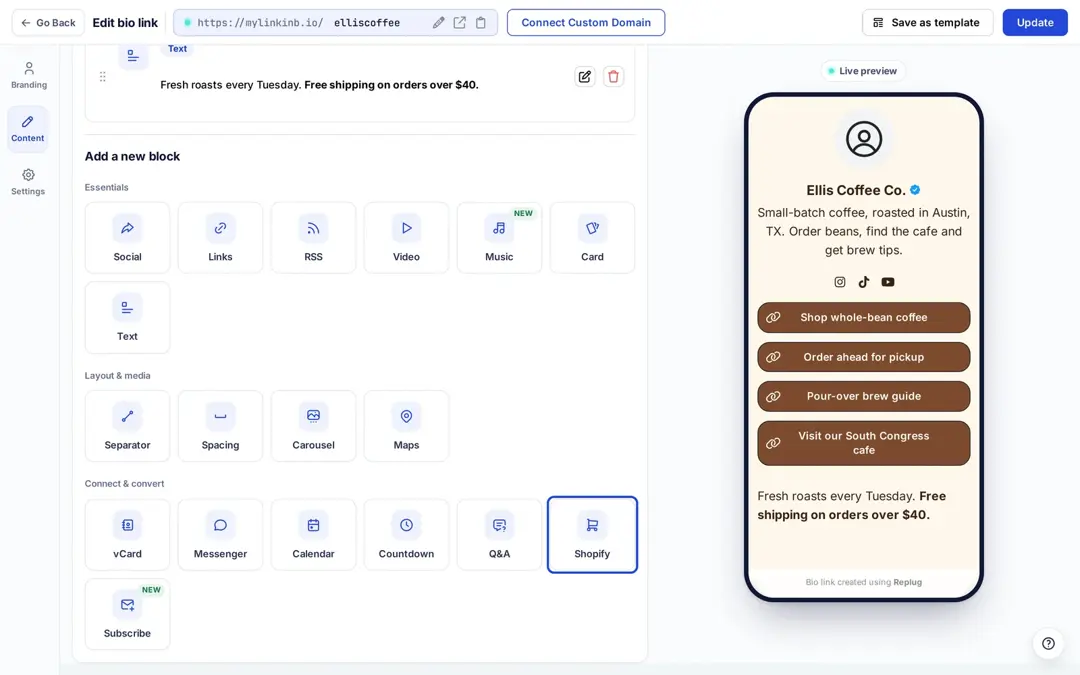
You can now:
- Add link blocks for product categories, top sellers, new launches, etc
- Add card blocks with eye-catching visuals for flash deals or new drops.
- Add a Social block with your Instagram, YouTube and other profiles to boost your overall presence.
- Use separators & text blocks to organize and guide users with clarity.
- Embed video blocks to showcase behind-the-scenes or product teasers.
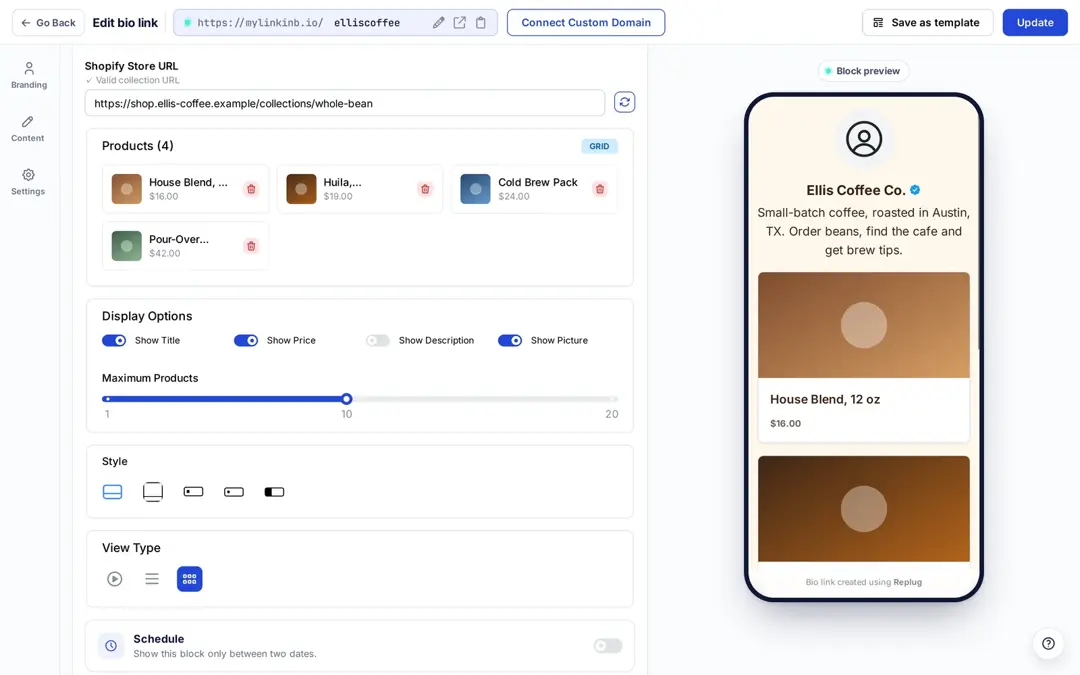
To show products, add a Shopify block (under Connect & convert), paste a product or collection URL (it must contain /products/ or /collections/), choose which details to show and how many products, and pick a grid or carousel. The Shopify block is on Essentials and up, per replug.io/bio-links.
Step 04: Optimize your Bio Link for SEO (additional step)
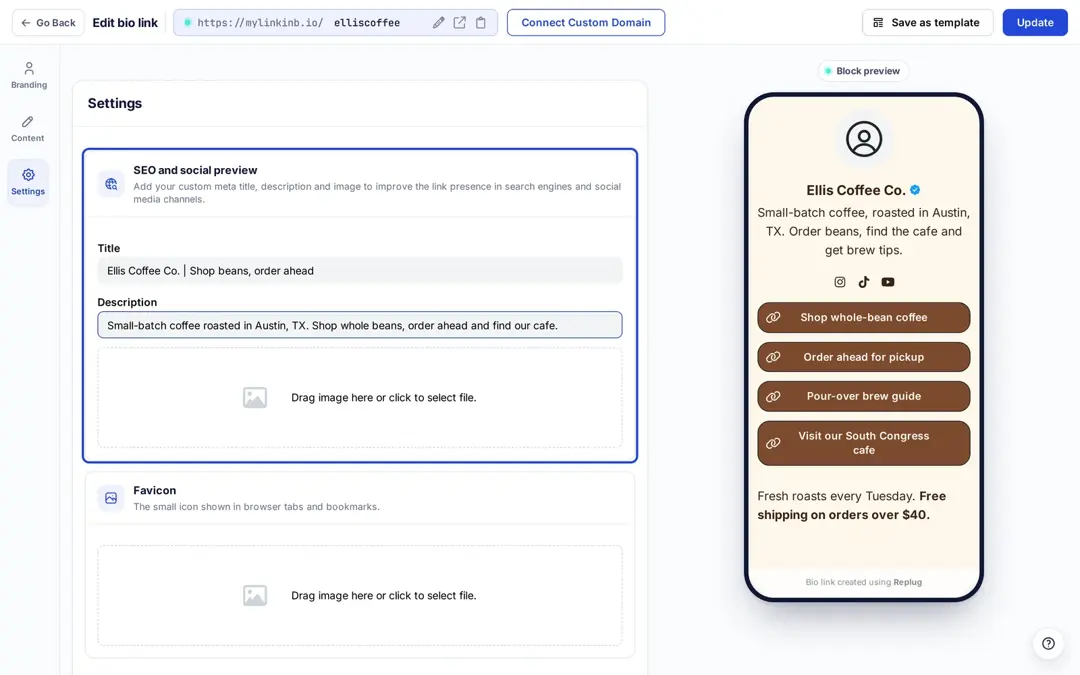
- Optimize the URL slug (the part after mylinkinb.io/, or your own domain) to keep it clean, branded, and memorable.
- Add a title and meta description so it looks sharp when shared.
- Upload a thumbnail and favicon for that extra polish.
- Add a retargeting pixel (Meta, Google, TikTok and others) to build ad audiences from visitors; retargeting pixels on bio links are on Essentials and up.
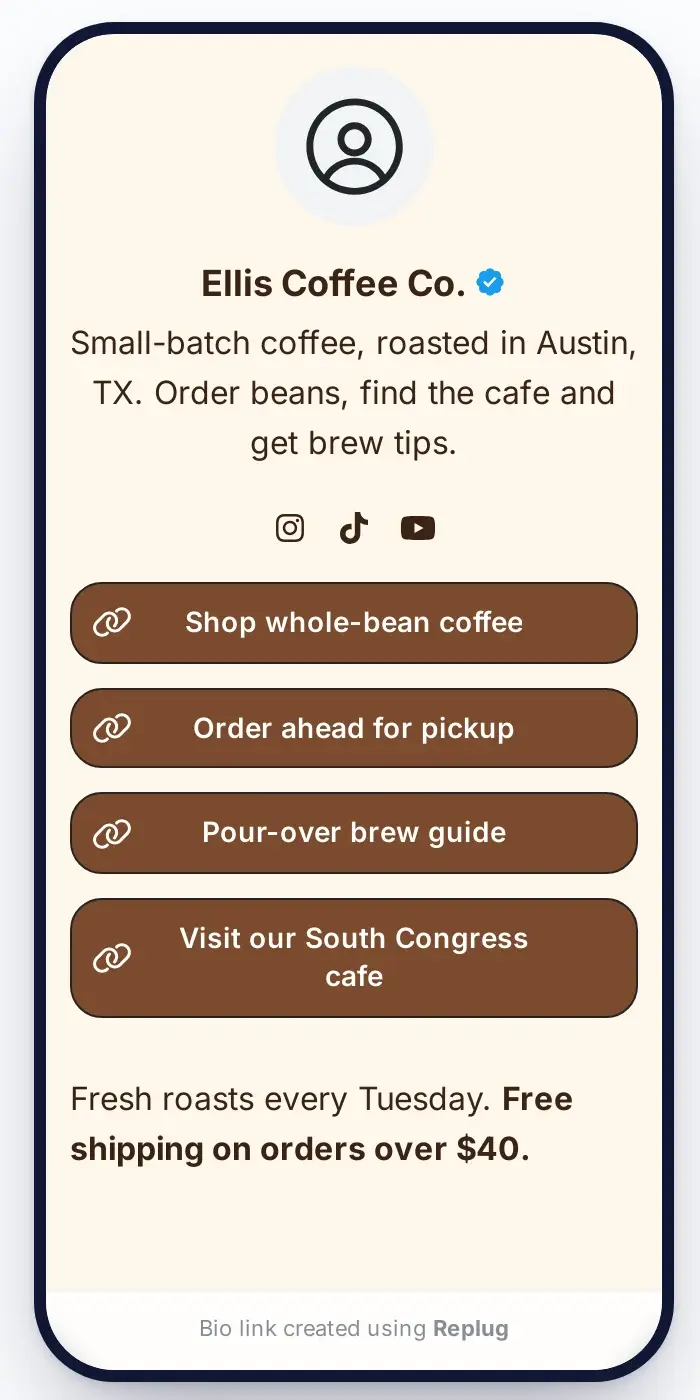
This is a sample of the bio link page we created using Replug:
Step 05: Add it to TikTok
Copy your Replug bio link (it looks like mylinkinb.io/your-store, or uses your own domain) and add it in TikTok under Edit profile > Links > Add. Now, when someone taps it, they will land on your bio site with all your Shopify links. (The screenshot below shows the older TikTok screen, where the field was called Website.)

Benefits of Using Replug to Boost Shopify Store Sales
1. Cleaner, shorter, branded URLs
Create short branded URLs that match your store name and aesthetic. On Essentials and up you can also customize the preview by giving your shareable short link a title, description and thumbnail, so it looks right when shared.
2. Track every click
You get analytics on clicks and unique clicks by country, city, device, browser and referrer (not on who each person is). Even better? You can add UTM parameters to your Shopify links for deeper campaign tracking. This helps you measure performance, optimize campaigns, and scale what’s working.
3. Retarget visitors with TikTok pixels
With Replug, you can add TikTok pixels to your links (one pixel on Essentials, unlimited on Scale and Agency). This means even if a visitor leaves your Shopify store without making a purchase, you can bring them back through targeted TikTok ads.
4. Direct shoppers with Deep Links
Deep links (Scale and Agency) let you take users exactly where you want them to go, whether it’s a product page, a limited-time offer, or a specific collection. No extra clicks, no distractions, just pure purchase intent.
5. Create powerful call-to-action campaigns
Generic links don’t sell, but with powerful CTAs, they do. With Replug (Essentials and up), you can show a call-to-action overlay or bridge page and add custom CTA buttons that drive action. Want to highlight a flash sale? Push a limited-time collection? Use attention-grabbing CTAs to make your offer clear, clickable, and irresistible.
6. Test what converts with A/B testing
Not sure which link performs best? Test up to 20 different URLs (Scale and Agency) and let the data tell you which one drives more sales. This feature helps you focus your TikTok traffic on the pages that actually convert.
7. Route Traffic with smart targeting
Have different promotions for different regions? Replug allows you to route traffic based on country, city, device, browser, operating system, date and more (Scale and Agency). This means that if a UK visitor sees a localized offer and a US customer lands on a different promotion, they’ll have a tailored experience.
8. Turn affiliate links into click magnets
Got Shopify affiliate links? They can be long, ugly, and scream “spam.” Replug’s link cloaking feature (Scale and Agency) shows them under your own branded domain. Check each program’s rules first: some, such as Amazon Associates, don’t allow cloaked links, per its Program Policies.
9. Drive offline sales with QR codes
You can create dynamic QR codes that lead users directly to your Shopify store or offer page, and change where a printed code points later on Scale and Agency. Add them to packaging, flyers, TikTok overlays, or even in your physical store to give customers instant access.
Closing the sale
Linking your Shopify store to your TikTok bio might seem small, but it can have a massive impact. Whether you’re promoting products, running sales, or building a long-term brand presence, making it easy for users to click through and shop is essential. And with Replug, that experience becomes seamless, trackable, and highly optimized.
Read product listing policies and how to set up a TikTok shop for more details.
FAQs on TikTok bio

Amna Yawar