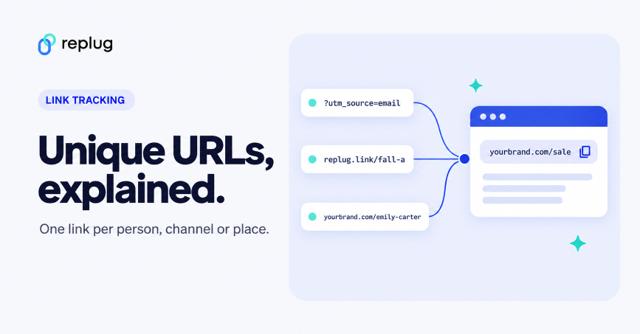
Vanity URLs are a valuable tool for branding, marketing, and tracking efforts and can help to improve the overall user experience.
This quick guide will teach you how to create a vanity URL in just a few simple steps and explain what making a vanity URL entails.
Let’s begin!
Quick answer: a vanity URL is a short, custom web address that you choose so it is easy to read, remember and say out loud, such as elliscoffee.com/menu or go.elliscoffee.com/fall-menu. It usually redirects to a longer page address. You create one either with a redirect on your own website or with a link shortener that lets you pick the back-half and use your own domain.
What is a vanity URL?
A vanity URL is a web address that has been customized to be short and meaningful instead of long or full of numbers. The “vanity” part has nothing to do with being vain: like a vanity license plate, it just means the address was picked by you rather than generated by a system. People also call it a custom URL, a vanity link or a branded link.
Most vanity URLs have two parts you control: a domain people recognize (your website or a short domain of your own) and a short, readable path after the slash, often called the slug or back-half. Some common forms:
- A path on your own website: elliscoffee.com/menu, which redirects to a longer page such as elliscoffee.com/pages/menus/fall-2026.
- A branded short link: go.elliscoffee.com/fall-menu, made with a link shortener on a domain you own. See what a branded short domain is for how that domain is set up.
- A custom profile URL on a platform: linkedin.com/in/jordan-ellis or youtube.com/@elliscoffee, where the platform lets you replace a generated address with a name.
How it works: when someone opens the vanity URL, the server behind it answers with a redirect, and the browser goes on to the real page. For a vanity path on your own site, use a permanent (301 or 308) redirect: according to Google Search Central, Google treats a permanent redirect as a signal that the target page is the one to show in search, while a temporary redirect isn’t used that way.
Vanity URL vs. vanity domain vs. slug vs. redirect
| Term | What it means | Example |
|---|---|---|
| Vanity URL | The whole short, custom address you share | go.elliscoffee.com/fall-menu |
| Vanity domain | A domain or subdomain you use only for short, branded links | go.elliscoffee.com |
| Slug (back-half) | The custom words after the slash | fall-menu |
| Redirect | The behind-the-scenes step that sends visitors from the vanity URL to the real page | A 301 redirect to elliscoffee.com/pages/menus/fall-2026 |
Vanity URLs on social platforms
Many platforms let you claim a custom profile address. A few current rules (checked October 2026):
- LinkedIn: you can replace your generated profile address with a custom one of 3 to 100 characters, without spaces, symbols or the word LinkedIn, according to LinkedIn Help. Steps are in our guide to changing your LinkedIn URL.
- YouTube: your handle becomes your channel URL in the form youtube.com/@yourhandle; handles in standard Latin letters and numbers can be 3 to 30 characters, per YouTube Help.
- Discord: servers that reach Level 3 Server Boost can set a Custom Invite Link such as discord.gg/yourserver, up to 25 lowercase letters, numbers or dashes, per Discord Support. More in what a Discord vanity URL is.
The rest of this guide covers the kind you control yourself: vanity URLs for your own pages, campaigns and offers.
Vanity URLs: how do you set them up?
Creating a vanity URL can make it easier to remember a web address and can also build brand consistency. To create a vanity URL, you can either use a link management tool or a content management system (CMS).
- A link management tool is a standalone platform that specializes in creating custom short links. You simply enter the long URL you want to shorten, and the URL shortener tool generates a vanity URL within seconds.
- A CMS, on the other hand, is a platform used to manage the content of a website. Some CMSs’ have built-in redirect functionality, but others may require a redirect plugin to create a vanity URL. To use a CMS to create a vanity URL, you would set up a redirect from the custom short link to the longer, original URL.
In either case, a vanity URL can be easily shared and is a useful tool for branding and marketing.
How to create a vanity URL using a link management tool?
Creating a vanity URL using a link management tool has several benefits, such as:
- A memorable URL can increase click-through rates and drive more traffic to a website.
- Vanity URLs can be tracked and measured, enabling businesses to gain a deeper understanding of their campaigns.
- A link management tool can allow for the creation of multiple vanity URLs, making it easier to manage multiple campaigns and track their performance.
Boost your marketing with Replug’s vanity URL builder
By using Replug’s vanity URL builder, businesses can improve the efficiency and effectiveness of their marketing efforts, increase click-through rates, and drive more traffic to their website.
Here’s how you can create a vanity URL using Replug:
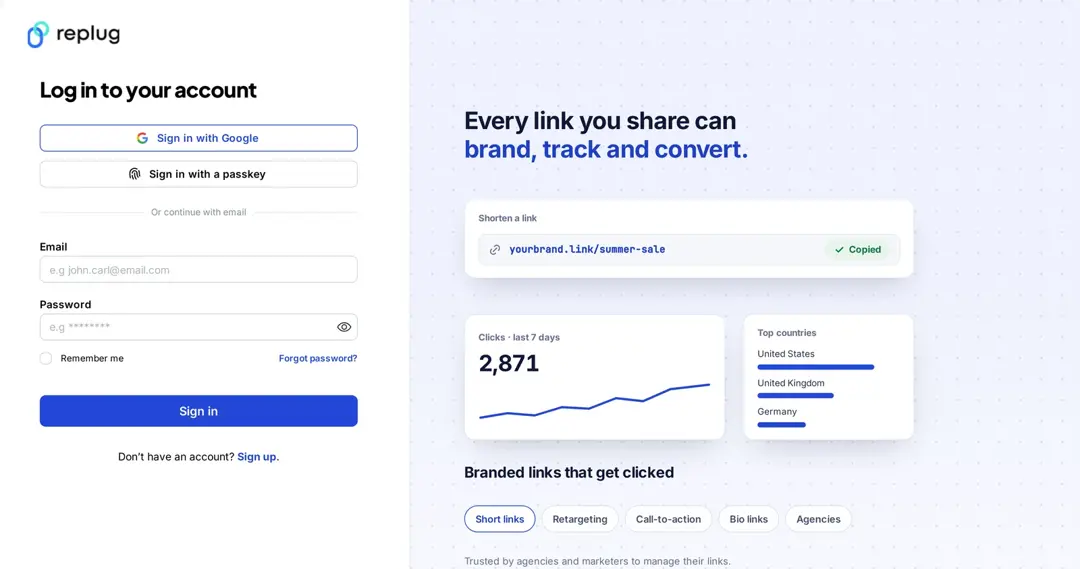
Step 1: Sign in to Replug or create an account for free.
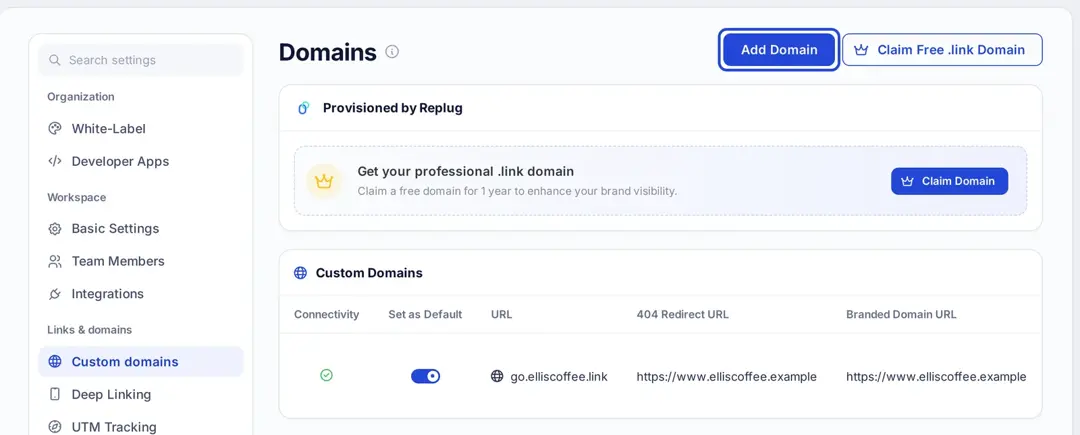
Step 2 (optional): Connect your own domain, so your vanity URLs show your brand. In the left sidebar open Settings, then under Links & domains click Custom domains and Add Domain. Enter the domain (for example links.yourbrand.com), add the CNAME record the app shows at your domain provider and click Save custom domain. Turn on Set as Default if you want new links to use it. Custom domains are on every plan, including Free, per replug.io/pricing.
Step 3: On the Home screen, paste the long URL into the shorten field and click Shorten.

Step 4: The Your link window opens with your short link. Click the pencil icon next to it and type the back-half you want, such as fall-menu. Custom back-halves are on the Essentials plan and up; on Free, Replug picks the back-half for you.
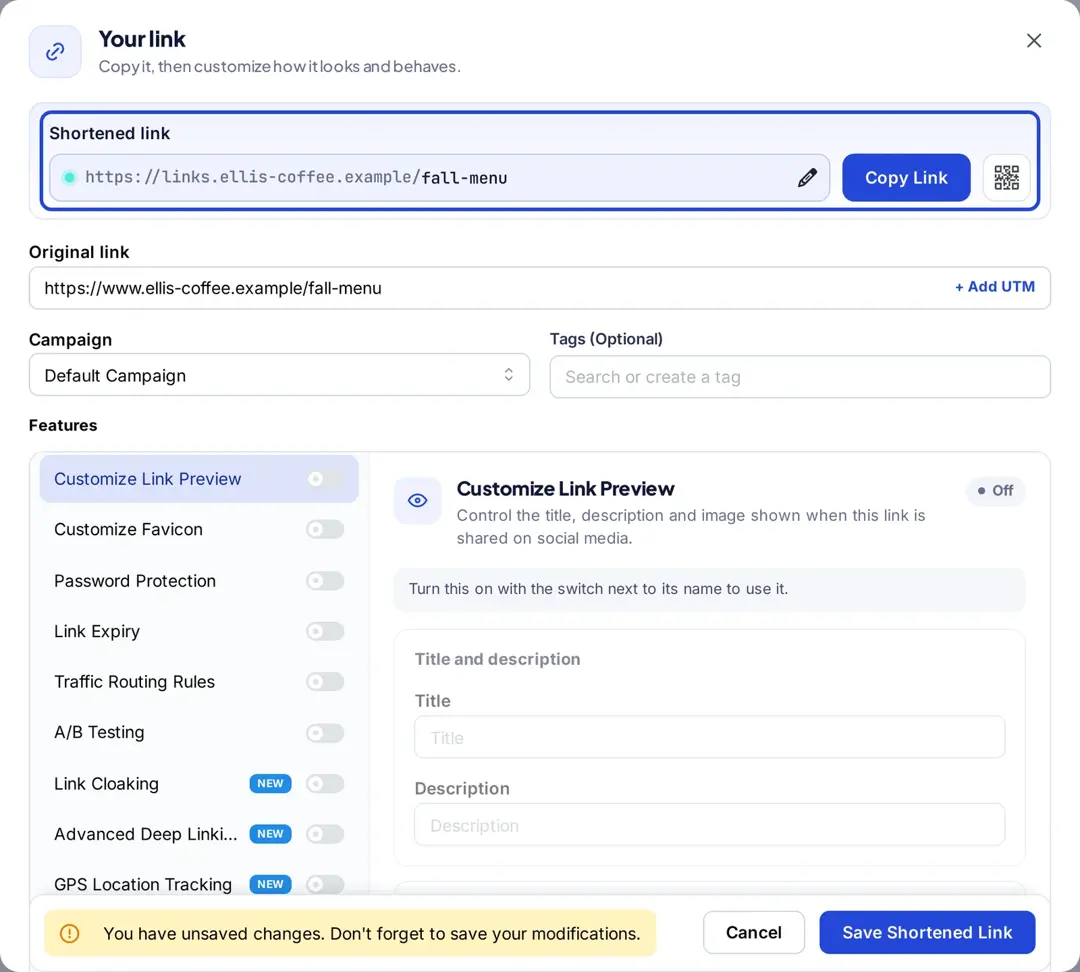
Step 5: Click Save Shortened Link, then Copy Link and share your vanity URL.
Also read: How to shorten a link using a URL shortener
How to make your vanity URL more clickable?
To make your vanity URL more clickable using Replug, follow these steps:
Choose a short and memorable vanity URL: The shorter the URL, the easier it will be for your audience to remember and click on it.
Use a relevant keyword: Use keywords relevant to the content behind the link so people know what they’re clicking on.
Use a recognizable brand name: If your brand has a recognizable name, use it in your vanity URL to build trust and make it more recognizable.
Create a custom domain: Replug allows you to create a custom domain for your short links, which can make your links look more professional and increase clicks.
Add a call-to-action (CTA): Adding a CTA to your vanity URL can encourage people to click on it. For example, “Click here to learn more” or “Get your discount now”.
Use UTM parameters: Utilize UTM parameters to track the performance of your links and make data-driven decisions about future link campaigns.
Test and iterate: Test your vanity URL and track its performance to see what’s working and what’s not. Make changes and improvements based on the data you collect.
Use lowercase and hyphens: the domain part of a URL isn’t case-sensitive, but the part after it usually is (RFC 3986), so /Fall-Menu and /fall-menu can be different links. Stick to lowercase, and separate words with hyphens rather than underscores, as Google Search Central recommends.
Avoid look-alike characters: if the link will be printed or said out loud, skip characters people confuse, such as 0 and O or 1 and l.
Keep it on a domain you control: if the vanity URL lives on your own domain, you can point it somewhere else later instead of reprinting it.
Don’t reuse a printed vanity URL for something unrelated: people may still type it from an old flyer, so point retired links to a sensible page instead.
Frequently asked questions
What does vanity mean in a URL?
It means custom. A vanity URL is an address you chose yourself, like a vanity license plate, instead of one a system generated.
Is a vanity URL case-sensitive?
The domain isn’t, but the path after it usually is, so treat brand.com/Sale and brand.com/sale as two different links and use lowercase.
Do vanity URLs help SEO?
Not directly. A vanity URL that redirects to a page doesn’t rank by itself; the destination page does. Use a permanent redirect for vanity paths on your own site so search engines treat the destination as the main page.
What is the difference between a vanity URL and a domain?
The domain is the site’s address, such as elliscoffee.com. A vanity URL is a specific short address on a domain, such as elliscoffee.com/menu, that leads to one page or offer.
Can I change a vanity URL after I share it?
You can usually change where it points, but changing the words of a link you already shared breaks the old one. On your own site, edit the redirect. In Replug, changing a link’s destination is part of the Scale and Agency plans; on Free and Essentials the destination stays the one you set.
See Also:
How to rename a link using Replug?
What Is Affiliate Link Cloaking & How To Do It?

Arslan Jadoon