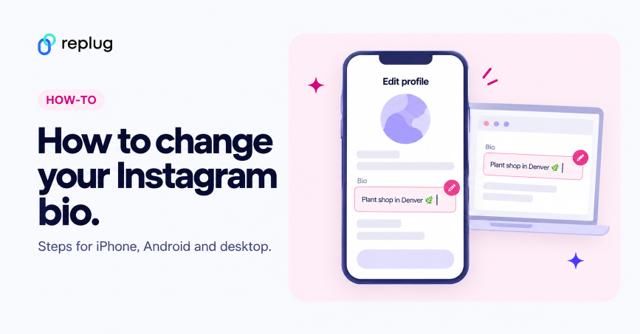
Quick answer: copy your Amazon link (your Amazon storefront, an Amazon Associates affiliate link or a product link), then in the Instagram app go to your profile, tap Edit profile → Links → Add external link, paste the URL and tap Done. According to Instagram Help, you can add up to 5 links to your profile. If it is an affiliate link, Amazon requires you to disclose it, and its policies limit how you can shorten or redirect it (details below).
Adding an Amazon link to your Instagram bio allows users to easily access and purchase products you promote or have an affiliate relationship with on the platform.
By including the link, you can increase sales and earn commissions as an Amazon affiliate. This also helps increase brand visibility and exposure by allowing followers to easily access and conveniently purchase your products.
Additionally, you can maximize your earning potential on Amazon by sharing a shop’s address, product, or affiliate link on your Instagram Bio. This informative guide will teach you the best options and tips for adding them to your Instagram bio.
Which Amazon link should you put in your Instagram bio?
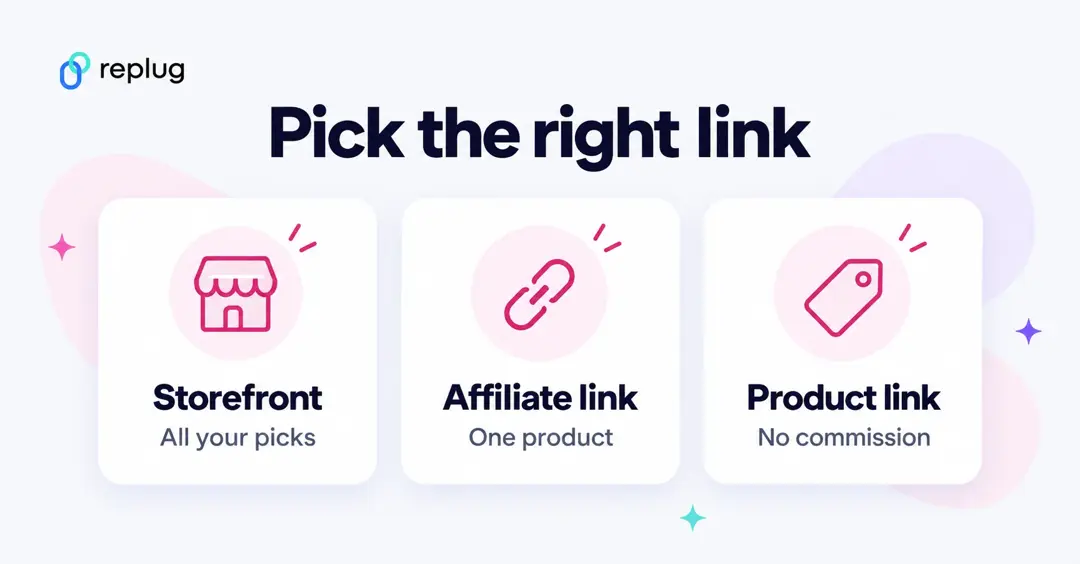
Before you open Instagram, decide which kind of Amazon link you are sharing. There are three common options:
- Your Amazon storefront (Amazon Influencer Program). If you are accepted into the Amazon Influencer Program, you get a storefront page on Amazon with a personalized URL where you collect the products you recommend. According to Amazon’s help page on vanity URLs, the URL is generated from the social media handle that qualified you for the program and can only be changed in limited cases. This is the best single link for a bio because it shows all your picks in one place.
- An Amazon Associates affiliate link. If you are an Amazon Associate, you can create a link to a single product with your tracking ID, for example from the SiteStripe bar at the top of an Amazon product page when you are signed in. Use this when your bio promotes one product, such as the item in your latest Reel.
- A plain product, list or store link. If you sell on Amazon or simply want to point people to a product or list, copy the URL from the share button or the browser address bar. It won’t earn a commission unless it carries your Associates tracking ID.
Amazon’s own tips for influencers are simple: its Associates help center suggests adding your influencer page to your bio line and telling followers in product posts that they can shop everything through the link in your bio.
Here’s how to add an Amazon link to your Instagram bio:
Step 1: Open the Instagram app on your mobile phone and tap the profile icon in the bottom right corner.

Step 2: Tap the “edit profile” button on your mobile screen.
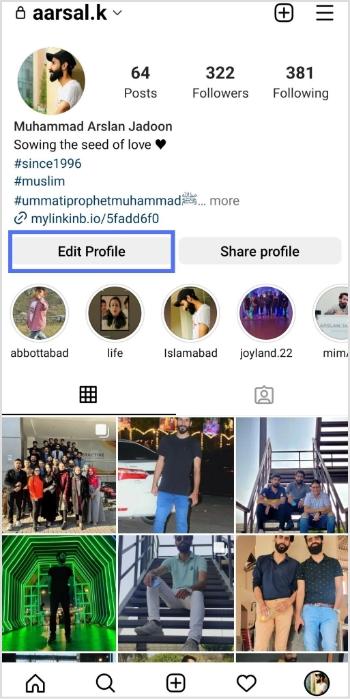
Step 3: Tap “add link” to open the links section.
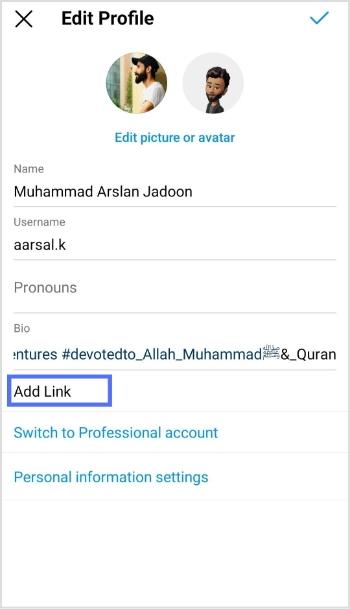
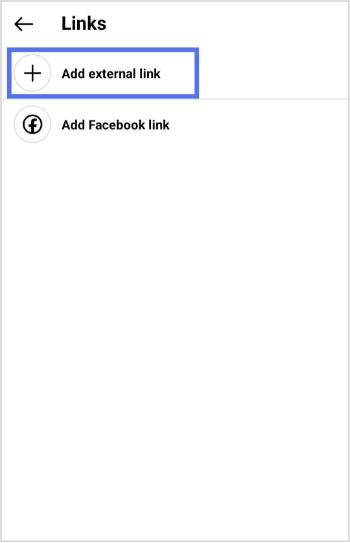
Step 4: Tap “add external link” to add your amazon link.
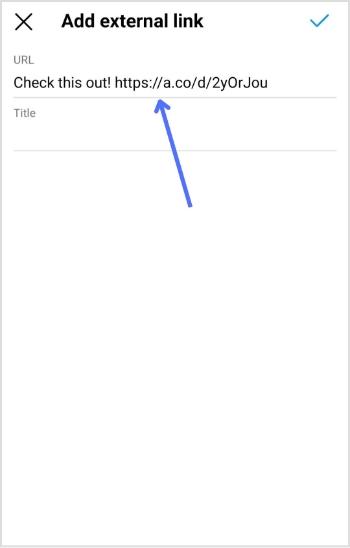
Step 5: Paste your Amazon link in the URL section and tap the tick icon in the top right corner. Your Amazon link now appears in the Instagram bio.
Checked October 2026: Instagram Help describes the same path in the current app: tap your profile picture, tap Edit profile, tap Links, then Add external link, enter the URL and tap Done. You can add up to 5 links, and you can change their order under Links → Options → Reorder links. Anyone, on or off Instagram, can see the links on your profile. The screenshots above show the same steps in an earlier version of the app, so labels may look slightly different on your phone.
Amazon’s rules for affiliate links on Instagram
If your bio link earns Amazon commissions, a few rules from the Amazon Associates Program apply. These come from Amazon’s own documents, checked in October 2026:
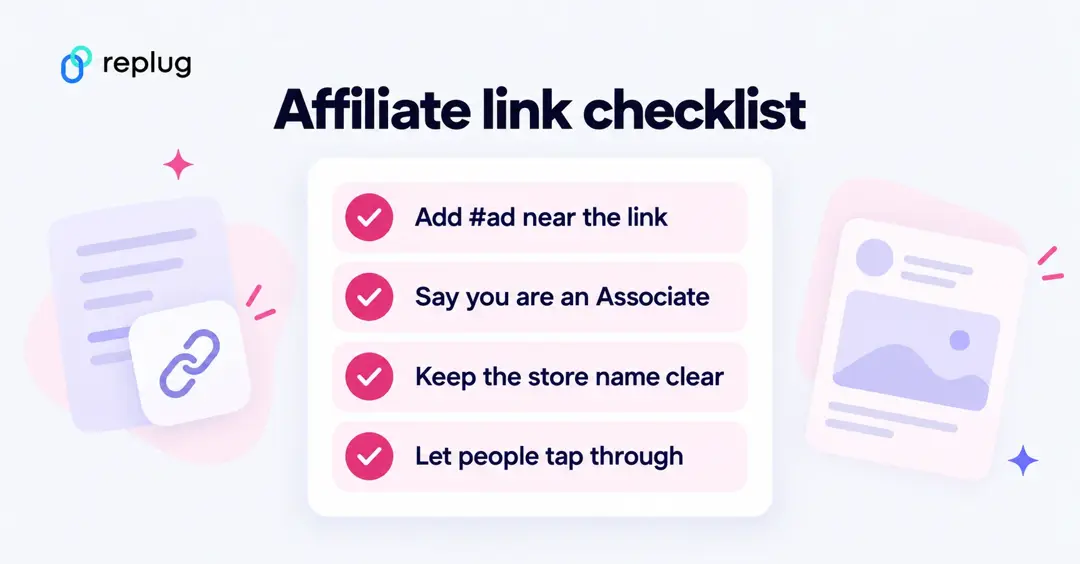
- Disclose the link. Amazon’s Associates help center says your link-level disclosure must be clear (for example “(paid link)”, “#ad” or “#CommissionsEarned”) and conspicuous, placed near the affiliate link where people will notice it.
- Identify yourself as an Associate. The Associates Program Operating Agreement requires the statement “As an Amazon Associate I earn from qualifying purchases.” For social media content, Amazon’s help center says this statement must be associated with your account, so many creators put it in their bio or on their bio page.
- Keep it clear that the link goes to Amazon. Amazon’s Associates Program Policies say you will not use a link shortening service, button or hyperlink in a way that makes it unclear you are linking to an Amazon site, and you will not cloak or hide the URL of the place where your links appear.
- Let people click through themselves. The same policies exclude purchases made through a link that sends people to Amazon through an intermediate site without them clicking or taking some other action there. A bio page where a follower taps a button labeled “Shop my Amazon picks” is a click; a link that silently forwards through another site is the kind of setup to check with Amazon first.
- Don’t use Amazon’s name in your handle. The policies also bar Amazon trademarks, or misspellings of them, in usernames and other identifiers on social networks.
These rules are Amazon’s, not Instagram’s. Instagram also has its own branded content rules for paid partnerships, so check both if a brand is paying you.
How to add multiple Amazon links to Instagram bio?
Adding multiple Amazon links (shop and affiliate) to your Instagram bio can increase your exposure and earning potential on the platform.
If you have your own Amazon shop, you can add the link to your bio, allowing followers to easily access and purchase your products. By including this link, you can increase sales and revenue for your business.
In addition to your shop, you can also sign up for the Amazon Affiliate Program, which allows you to promote Amazon products and earn a commission on each sale. As an affiliate, you can add affiliate links to your bio, providing followers with easy access to the products you are promoting.
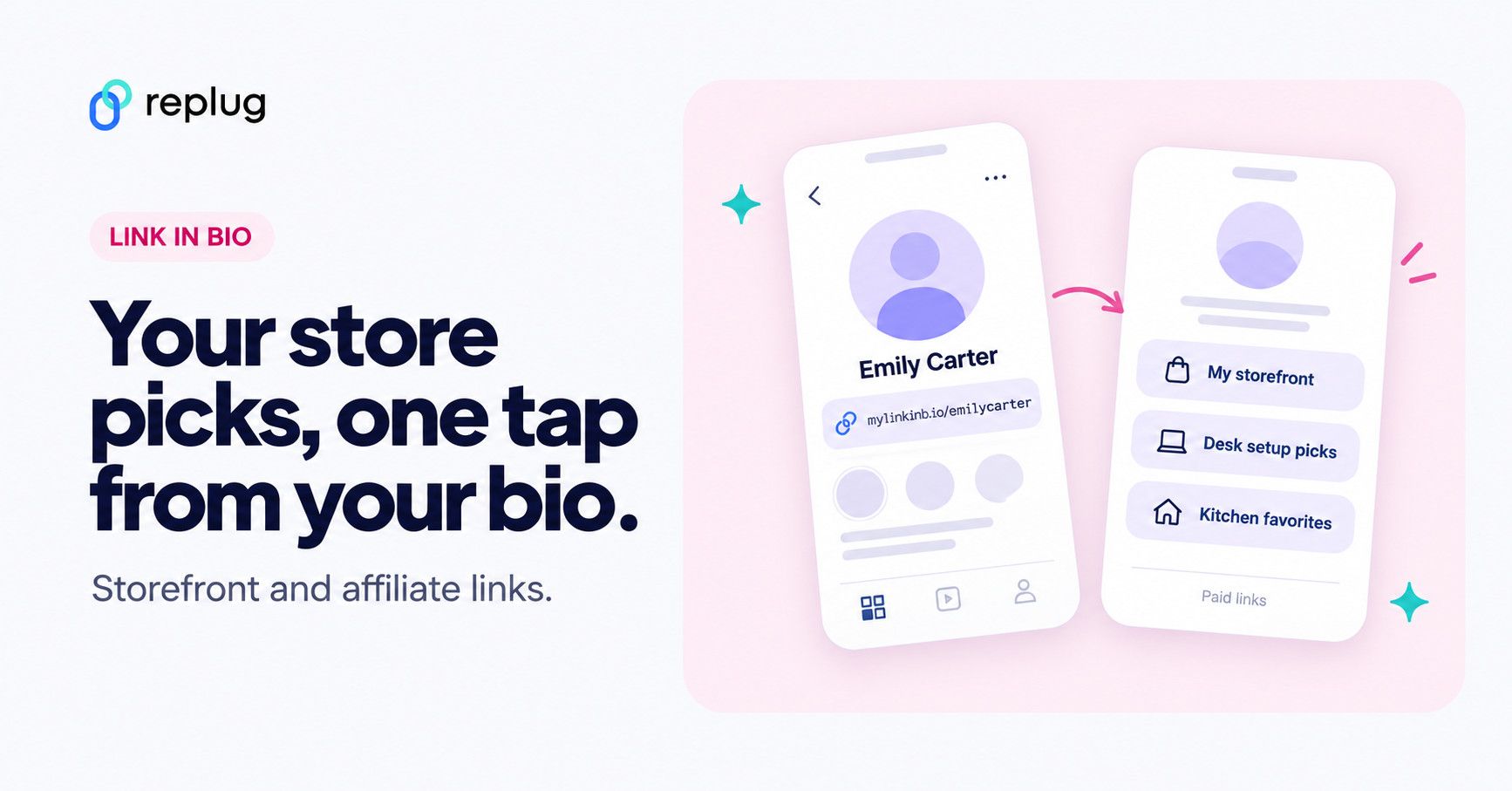
You can use our link management tool – Replug.io, to add multiple links to your bio. Our link generator for Instagram bio helps you create a standout bio link page in no time. You can add your Amazon shop link, affiliate links to the page, and links to other products, websites, or services.
Also Read: How to add a link in bio to your Instagram profile?
Here’s how to create a bio link using Replug
Step 1: Visit the Replug website and sign up for a new account, or log in if you already have one.
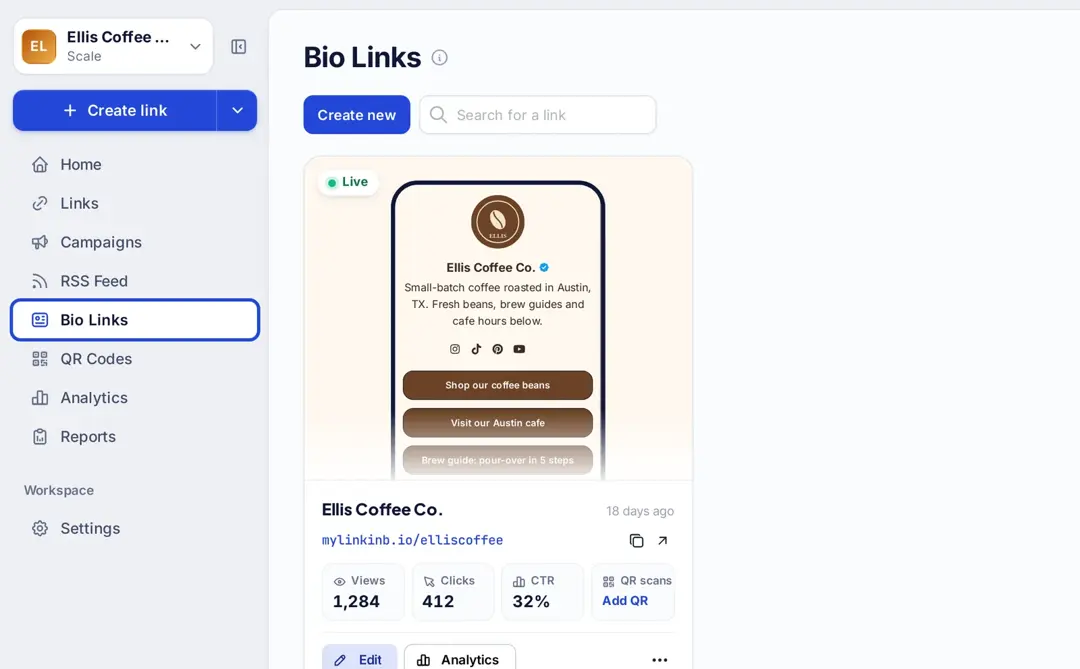
Step 2: Click “Bio Links” in the left sidebar to open the bio link dashboard.
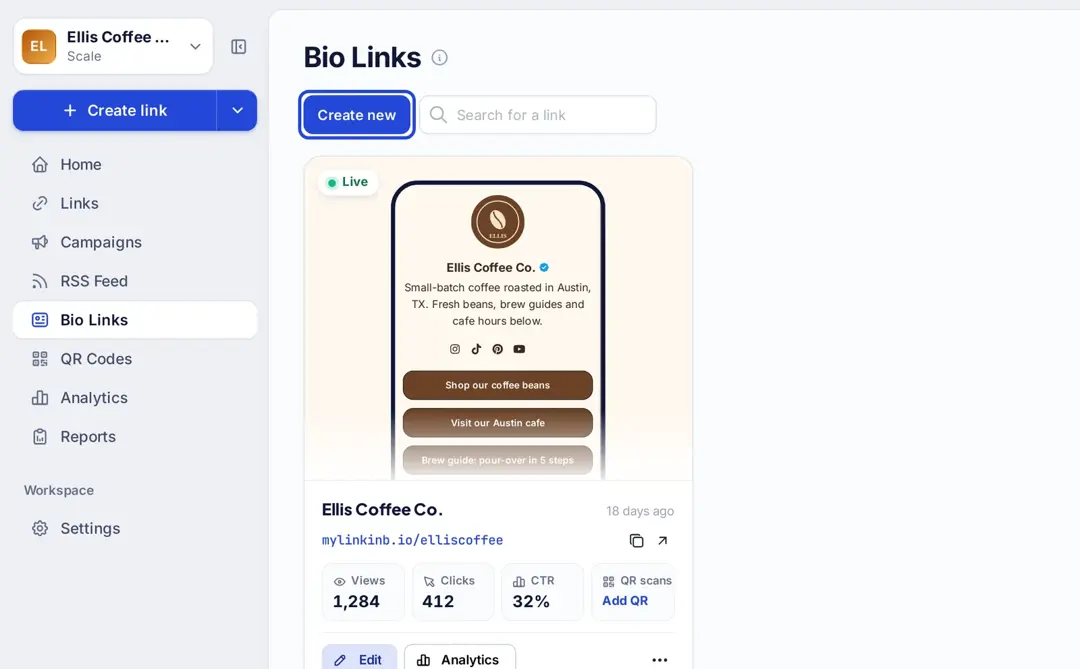
Step 3: Click the “Create new” button, then pick a template or “Start blank” to create a new page. You’ll be directed to a new screen with three key sections: branding, content, and settings.
Step 4: In the branding section, enter your brand title and description, choose a theme, and select button styles that match your brand’s look and feel. Once you’re satisfied, click “Publish” in the top right corner to save your changes.
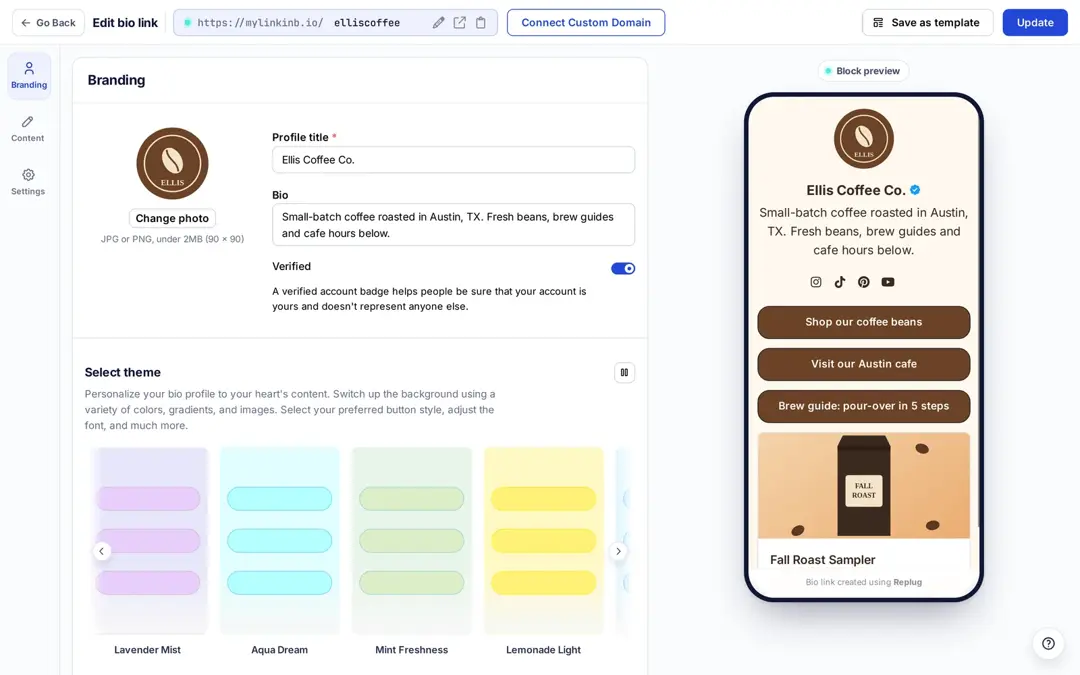
Note: Replug also allows you to add a verification badge to your bio landing page for extra credibility (on the Scale and Agency plans, per replug.io/bio-links, checked October 2026).
Step 5: Move to the content section, where you can add various elements, including social icons, links, RSS feeds, videos, cards, and text.
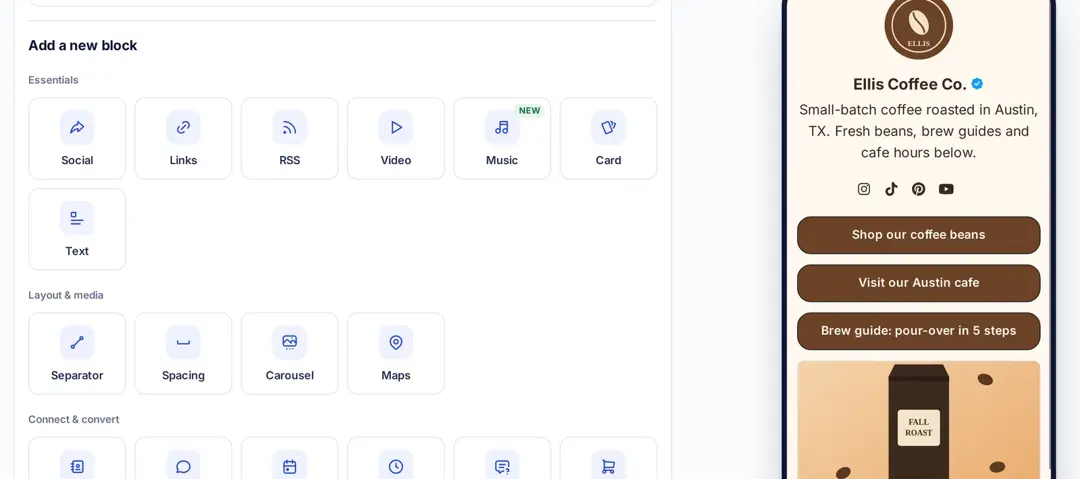
For example:
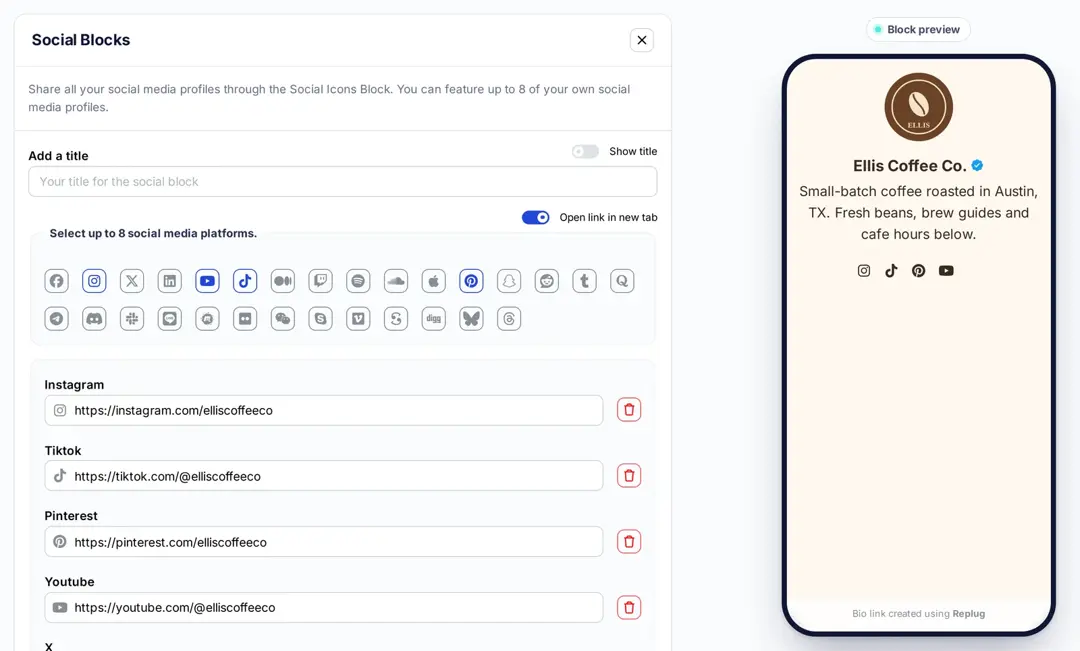
- Social icons: Add up to 8 platforms, customize colors, and link to your profiles.
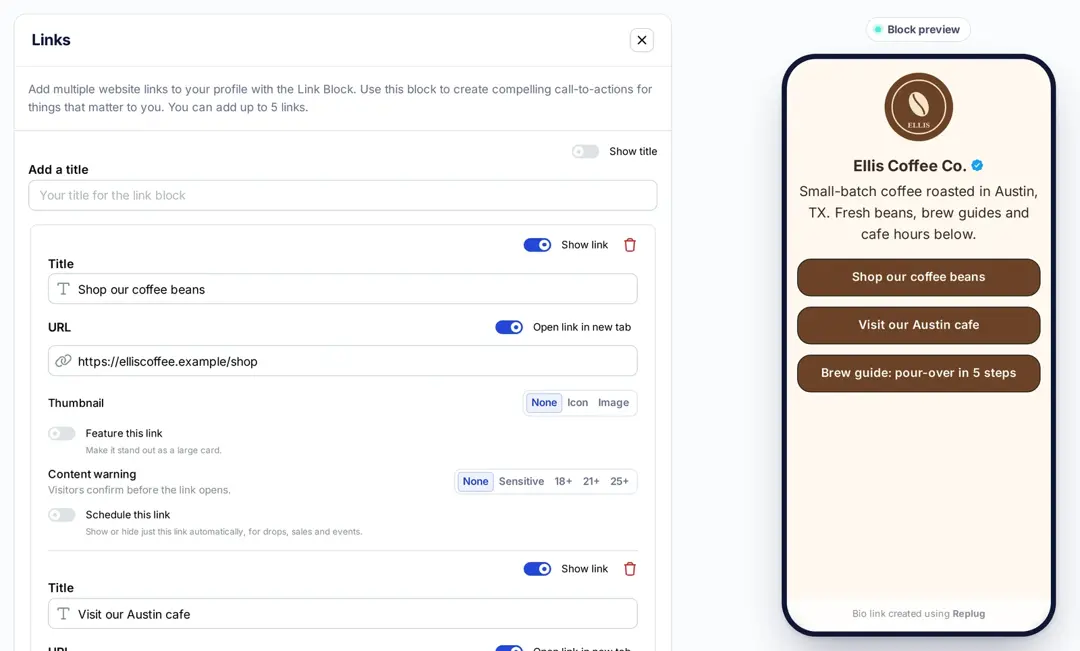
- Links block: Use the “links” block to include website links. Add titles and URLs for each link.
Step 6: Click “Add Block” to put each block on your page, then click “Update” at the top right to save the page.
Step 7: In the settings section, customize your bio link’s SEO and social media preview. You can add a title, description, and favicon image and even integrate a retargeting pixel for better tracking.
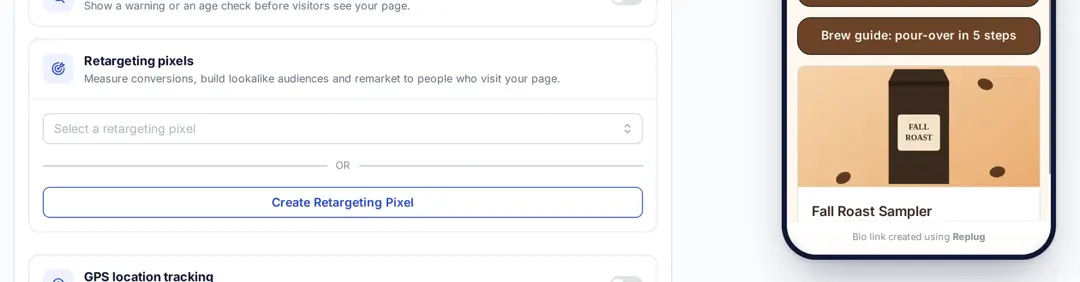
Step 8: Once you’re happy with your bio link, save it, and use the Replug’s generated URL (on mylinkinb.io by default, or your own domain) to showcase multiple links across your social profiles.
Tips for an Amazon bio page that follows the rules
Amazon’s Associates help center itself recommends a link-in-bio tool when you have more links to share than one bio line allows, such as your storefront, a blog and other affiliate links. If you build that page with Replug:
- Label every Amazon button so it is obvious where it goes, for example “My Amazon storefront” or “Shop this desk setup on Amazon”.
- Add a short disclosure on the page, such as “As an Amazon Associate I earn from qualifying purchases,” near the Amazon buttons.
- Link the buttons straight to your Amazon storefront or affiliate links, so followers tap through to Amazon themselves.
- Use the page analytics to see views, clicks on each link and click-through rate, so you know which products your followers tap.
- Replug’s Free plan includes 2 bio link pages; Essentials includes 10 and Scale and Agency have no limit (replug.io/pricing, checked October 2026).
Sharing the same products on TikTok? The steps and the follower rules there are different; see how to add an Amazon link to your TikTok bio.
You can also make your URLs more concise and trackable with this efficient ad free URL shortener, ensuring a cleaner and more professional appearance across all your shared links.
The bottom line
Adding multiple Amazon links to your Instagram bio can help you increase your earnings by promoting multiple products and earning commissions on each sale. You can even build a bio page for Amazon products that shows them all in one place. Replug also allows you to track the performance of each link and determine which products or services are most popular with your followers.
In short, Replug’s free link in bio tool offers numerous benefits, including increased exposure, better engagement, increased sales, improved analytics, and enhanced brand image.
Trending Topics:
How To Put A Link In TikTok Bio?
How to add a Twitter (X) link to Instagram bio?
How to create a call to action using a URL shortener?
What is a Tracking URL and How Does it Work?
Benefits Of A Link Rotator: Why & When To Use Rotating Links?
FAQs on Amazon link to Instagram bio

Arslan Jadoon

![1000+ best captions for Instagram posts & stories in 2026 [Copy & Paste]](/_next/image?url=https%3A%2F%2Finternal-blog.replug.io%2Fwp-content%2Fuploads%2F2026%2F01%2F1000-best-captions-for-Instagram-posts-stories-in-2026-Copy-Paste.png&w=640&q=75)