Quick answer: Linkly and Replug both shorten and brand links, track clicks, route traffic and fire retargeting pixels. Linkly is the better fit if you mainly want click tracking, routing rules and built-in conversion tracking, with a free plan and plans priced by monthly links and clicks (from $15 a month billed yearly). Replug fits if you also want bio pages, QR codes, CTA overlays on the pages you share and A/B tests on one platform (Free plan; paid plans from $19 a month). Prices and features below were checked on each vendor’s own site in October 2026.
As 2026 unfolds, the race to find the ultimate link management tool is more intense than ever.
Marketers and businesses are no longer settling for basic link functionalities—they’re on the hunt for stronger solutions that deliver advanced analytics, retargeting, and branding capabilities.
If you’ve also been exploring tools like Linkly but feel room for improvement. This comparison will introduce you to Replug—a top Linkly alternative.
Both platforms are designed to empower marketers with branded links, redirecting features, and advanced branded management, but how do they truly stack up?
In this Linkly vs. Replug blog, we’ll compare these platforms side by side, dissecting their features, pricing, and limitations to help you discover the perfect fit for your link management needs.
| Overview | Linkly | Replug |
| Description | Linkly– a simple link management tool founded to provide marketers with a straightforward tool for link creation and basic analytics, Linkly has gained traction among businesses looking for a no-frills approach to link management. | Replug positions itself as a comprehensive link management and marketing platform. It goes beyond simple URL shortening to offer a suite of tools designed to enhance your marketing efforts across various channels. |
| Pricing starts from | Free plan; paid from $15/month billed yearly (Starter) or $39/month billed monthly (Pro) | Free plan; paid from $19/month (Essentials), up to 50% less billed yearly |
| Best for | Click tracking, routing rules and conversion tracking | Branded links plus bio pages, QR codes, CTAs and retargeting |
Feature-by-feature analysis Linkly vs. Replug
| Feature comparison | Linkly | Replug |
| Link management | ||
| Link shortening | Yes | Yes |
| Custom links | Yes | Yes |
| SMS links | Yes | Yes |
| Deep links | Yes (Open in App) | Yes (Scale and Agency) |
| Custom domains | Yes | Yes |
| UTM tags | Yes | Yes |
| Link cloaking | Yes (Business and up) | Yes (Scale and Agency) |
| Link disguising | Yes | Yes |
| Bulk link import | Yes | Yes |
| Bulk link export | Yes | Yes |
| Link previews | Yes | Yes |
| Password protect short link | Yes (Pro and up) | Yes (Scale and Agency) |
| Link expiration | Yes (Pro and up) | Yes (Scale and Agency) |
| Traffic routing and retargeting | ||
| Link rotation | Yes | Yes |
| Link redirection | Yes | Yes |
| Retargeting pixel | Yes | Yes |
| Redirect by country | Yes | Yes |
| Redirect by device | Yes | Yes |
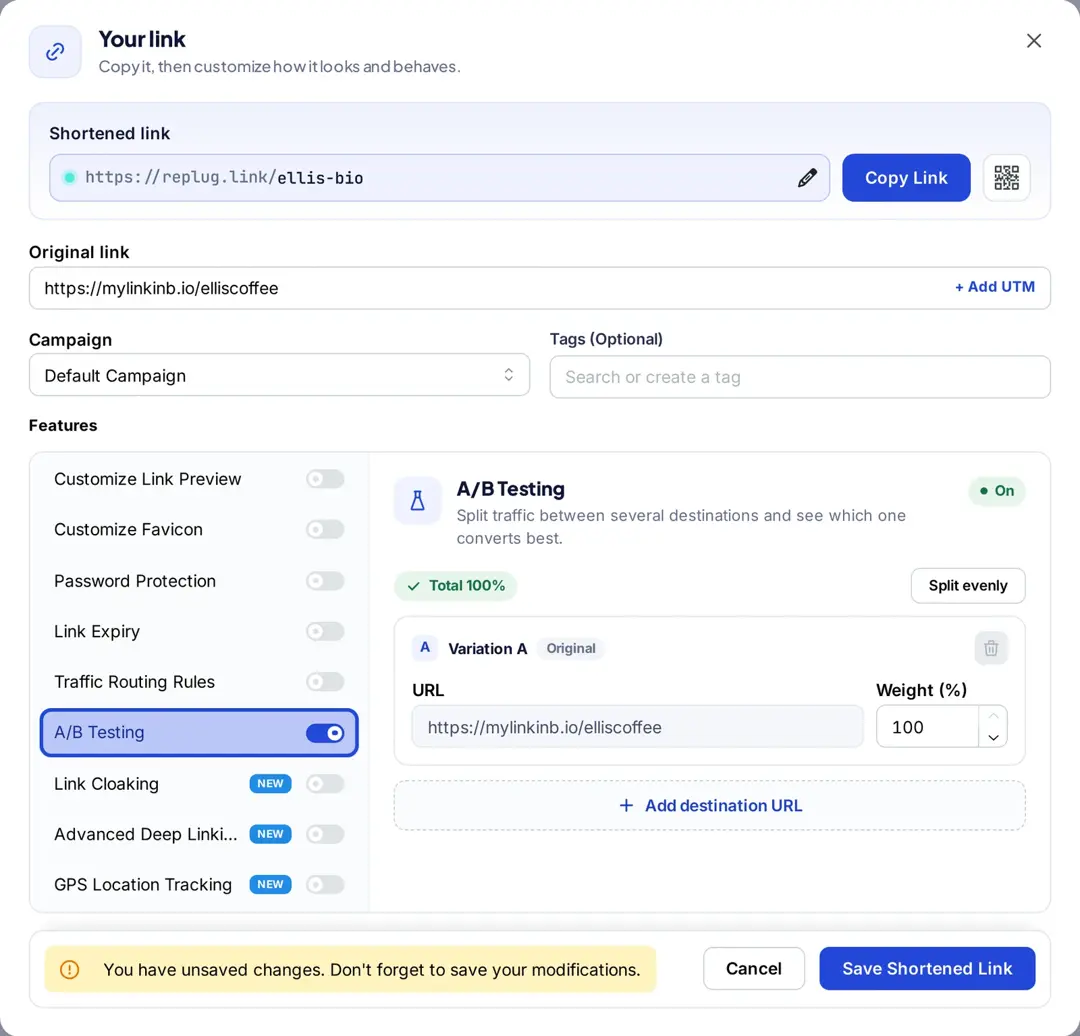
| A/B test links | Yes (link rotators, Pro and up) | Yes, up to 20 URLs (Scale and Agency) |
| Campaigns | ||
| Campaign management | Folders and tags | Yes |
| Custom CTA’s | Not listed | Yes (Essentials and up) |
| 3rd-party/ Custom widgets | No | Yes |
| Link-in bio | No bio pages | Yes |
| Link shortening | Yes | Yes |
| Retargeting pixel | Yes | Yes |
| Bio links | ||
| Editable template | No | Yes |
| Ability to add title, description | No | Yes |
| RSS feed | No | Yes |
| Custom theme | No | Yes |
| Multiple button style | No | Yes |
| Verification button | No | Yes |
| Social links | No | Yes |
| Cards | No | Yes |
| Images / Videos | No | Yes |
| Bio-links preview | No | Yes |
| Editable alias | No | Yes |
| White-label solution | ||
| White-label dashboard | No | Yes (Agency) |
| Personalized favicons, colors, domain | No | Yes |
| QR-codes | ||
| Dynamic QR codes | Yes | Yes |
| Custom colors | Yes | Yes |
| Multiple download formats | Yes (PNG and SVG) | Yes |
| Customizable QR codes | Yes | Yes |
| Analytics & reporting | ||
| Link analytics dashboard | Yes | Yes |
| Shareable analytics dashboard | Yes (public analytics pages, Business and up) | Yes |
| Analytics of unique redirects | Yes | Yes |
| Real-time analytics | Yes | Yes |
| Filter by month | Yes | Yes |
| Visitors by country | Yes | Yes |
| Unique clicks | Yes | Yes |
| UTM tracking | Yes | Yes |
| QR scans | Yes | Yes |
| Branded domain 404 redirect | Yes | Yes |
| Data export CSV | Yes | Yes |
| Email reports | Yes (monthly, Starter and up) | Yes (automated reports, Essentials and up) |
| 301 redirect code | Yes | Yes |
| Chrome extension | Yes | Yes |
| Customer support | ||
| Dedicated support | Priority support on Unlimited | Enterprise plans |
| Onboarding & call support | Not listed | Enterprise plans |
| Workspace/ user | ||
| Team/ user dashboard | Yes | Yes |
| Workspace protection | Yes | No |
| Inviting user via email | Yes | Yes |
| Team member role – Admin | No (all users have the same rights) | Yes (Scale and Agency) |
| Team member role – Guest/ Viewer | No (all users have the same rights) | Yes (Scale and Agency) |
| Free plan | Yes (100 links and 500 tracked clicks a month) | Yes (100 links, 2 bio pages, 1,000 clicks a month) |
| Built-in conversion tracking | Yes (Stripe, Calendly, GA4) | No (use UTM tags with your analytics) |
| API access | Yes (all plans) | Yes (Agency) |
Checked in October 2026 on linklyhq.com/pricing (plan comparison) and Linkly’s help pages, and on replug.io/pricing. Plan names in brackets show where a feature starts.
A detailed comparison of Linkly vs. Replug
Now that we have a basic understanding of Linkly and Replug, the ultimate Linkly alternative. Let’s dive into a detailed comparison of their features, user interface, and other important pointers. This will help you determine which platform aligns best with your specific needs.
Link management and organization
Link management involves organizing, tracking, and optimizing URLs across various digital marketing channels.
Linkly link management
- Create branded links with a custom domain: Linkly allows you to use your own branded domain, enhancing brand visibility and trust with custom short links.
- Offers simple tagging for categorization: Tags help categorize links for quick identification, but they may lack more advanced tagging options.
- Password-protected links: Linkly lets you add a password to a link on the Pro plan and up; clicks are recorded only after the right password is entered, according to Linkly’s help center.
- Easily delete or disable links: Links can be quickly deleted or disabled from the platform, making it easy to manage active and inactive links.
- Quick QR codes: Linkly enables you to generate custom QR codes for your links, streamlining access and providing valuable tracking insights.
- Offers easy link cloaking capabilities: Link cloaking is simple to implement, helping you hide long URLs and protect affiliate commissions.
- Create custom social media link previews: Customize how your links appear on social media platforms, improving click-through rates and engagement.
Replug link management
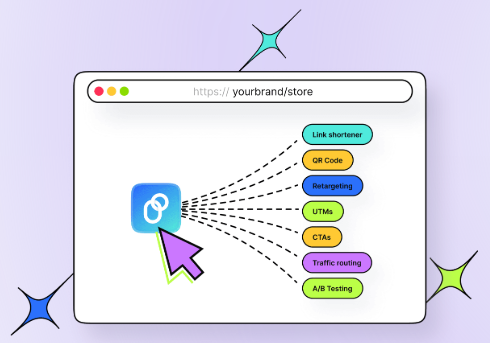
- Advance URL shortener: Transform generic links into branded ones and share them with your audience to drive more traffic. Track performance with each click to measure your impact.
- Provides a clear dashboard for tracking links and campaigns: The dashboard is user-friendly and provides a comprehensive view of your links and their performance.
- Supports advanced tagging and categorization options: With Replug, you can apply link tags and categories, improving link organization and searchability.
- Includes a search function to quickly locate specific links: A search feature allows fast access to specific links, ideal for large collections.
- Allows creation of password-protected links or setting expiry dates: You can protect your links with a password or set an expiration date, adding a layer of security and control (Scale and Agency).
- Instantly create dynamic QR codes for your links: Easily generate dynamic QR codes that can be updated without changing the original link, perfect for print and digital media.
- Deep linking for smooth navigation: Deep links ensure users are directed to the right content in-app, enhancing their experience and reducing drop-offs.
- Add favicons to your links with ease: You can easily add favicons to links, creating a more personalized and professional look for your URLs.
- Allows easy link cloaking capabilities: Replug also provides simple URL cloaking options, ensuring a cleaner and more branded URL for your campaigns.
- Link previews for social media, SMS, or custom use: Replug lets you customize link previews, making them more appealing on social media, SMS, or other platforms to boost engagement.
Replug’s more advanced organizational features give it an edge, particularly for users managing a large volume of links or complex marketing campaigns.
Also read: Bitly vs Rebrandly vs Replug: Which is the best link management tool?
URL shortening and customization
Linkly URL shortening
- Slug customization: Linkly provides basic customization for the URL slug, but it lacks advanced options for optimizing links for SEO beyond the basics.
- Bulk link creation capabilities: Allows users to create multiple short links at once, making it efficient for campaigns requiring numerous URLs.
- Open in App deep links: Linkly’s Open in App option turns a link into one that opens the content inside the native app, plus app store redirects, according to Linkly’s help center.
- SEO-friendly URLs: Linkly supports SEO-friendly URLs by allowing the inclusion of relevant keywords in the URL path, improving visibility in search engines.
Replug URL shortening
- Dynamic link customization: Replug allows users to create dynamic URLs that can be updated with new destinations without changing the shared link (destination edits are on the Scale and Agency plans).
Also read: Dynamic URLs vs. Static URLs
- Bulk link import functionality: You can import multiple links at once, which saves time when managing large link libraries.
- Custom domains for branded links: Replug supports the use of custom domains, allowing businesses to create branded short URL and links that help reinforce brand recognition.
- SEO-friendly URLs: Replug ensures that users can create SEO-friendly URLs by customizing the slug and optimizing the link structure for better search engine performance.
- Automated link customization: Replug includes time-saving features like link tags, a UTM builder with parameter forwarding, and bulk import, saving time and effort.
- Custom-branded SMS links: Create personalized, branded links for SMS campaigns to boost trust and click-through rates.
- Mobile-first optimization: Links created in Replug are optimized for mobile users, with options for app deep linking and responsive URLs for better user experience.
Bio-link pages
Linkly bio-link
- Lacks the bio-link feature: Linkly does not provide the option to create customizable bio-link pages to consolidate multiple links like its competitors.
Replug bio-link
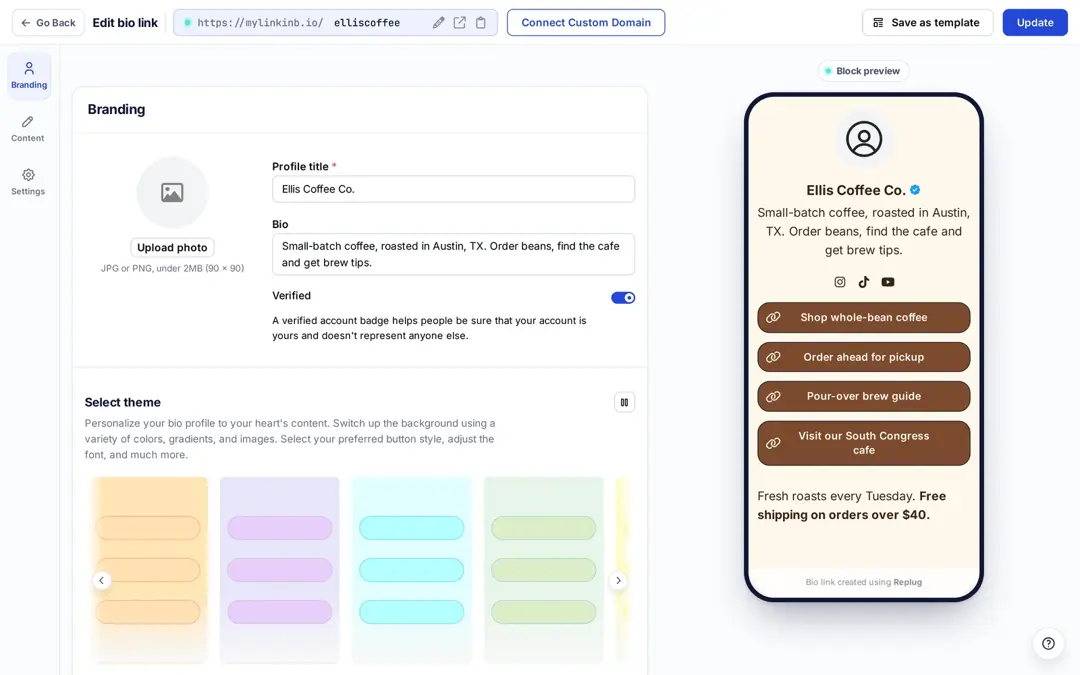
- Customizable bio-link pages: Replug allows users to create personalized bio-link pages with branded designs matching their brand identity.
- Add brand name to your bio link: Include your brand name directly in your bio link to strengthen brand visibility and recognition.
- Add multiple links to one page: Use a single bio-link page to house multiple URLs, including videos, text, cards, and social links, making it easy for users to navigate to specific content.
Also read: 7 benefits of bio links you need to know: your ultimate manual
- RSS feed: Automatically display your latest blog posts or updates on your bio-link page with an integrated RSS feed.
- Add a tracking pixel to your bio-links: Enhance analytics by embedding tracking pixels to monitor audience engagement with your bio-links.
Traffic routing and retargeting
Linkly retargeting and traffic distribution
- Simple routing rules: Enables straightforward link rotation setup of routing criteria without requiring technical expertise.
- Manual traffic distribution: This allows you to control how much traffic is allocated to each variation in your links.
- Redirect users based on country: This enables you to redirect users to specific URLs based on their country, ensuring they access region-specific content or offers.
- Robot and spider blocking: Linkly allows you to block bots and search engine spiders from crawling your links, ensuring better control over your traffic and analytics.
- Device-based routing: Directs users to mobile or desktop-optimized pages depending on the device they are using.
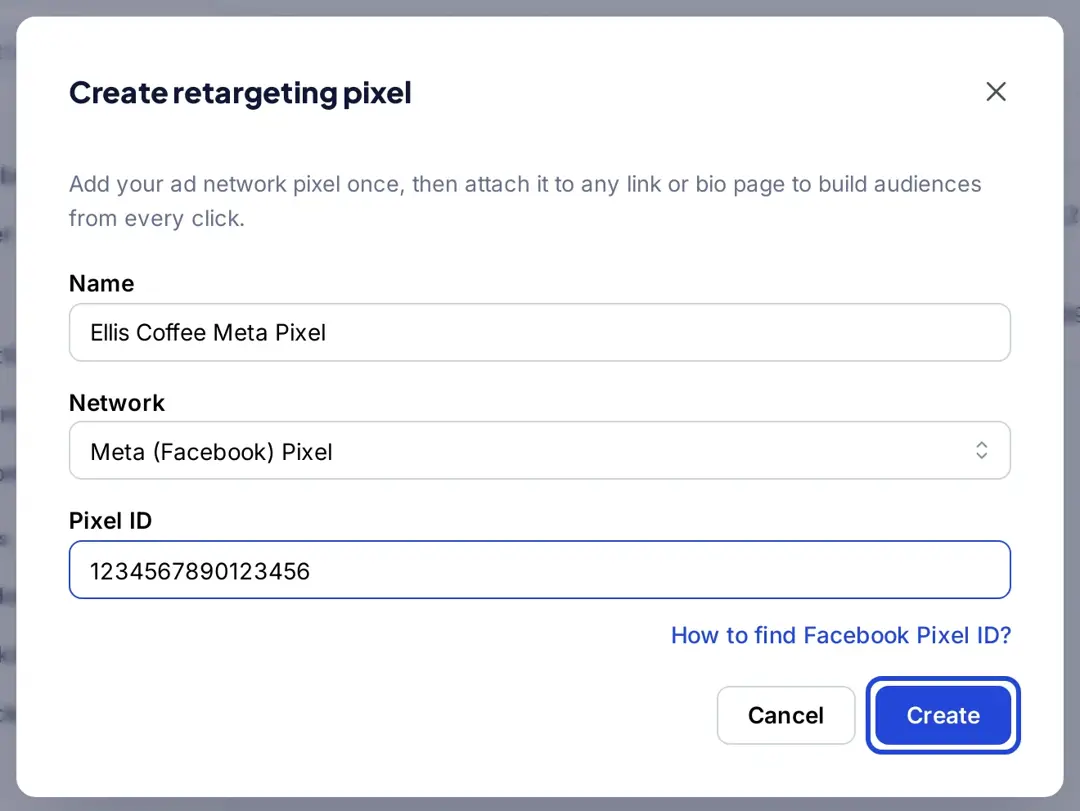
- Simplified pixel setup: Provides an easy-to-use interface for attaching retargeting pixels to your links without technical hurdles.
- Pixel integrations: Linkly adds the Meta Pixel, Google Ads, Google Tag Manager, TikTok and LinkedIn Insight tags to links on the Pro plan and up, so clicks join your ad audiences (Linkly help).
Replug retargeting and traffic distribution
- Geo and device-based routing: Replug allows you to route traffic based on location or device type, ensuring a personalized experience for users.
- A/B testing for campaigns: Test up to 20 URLs or landing pages behind one link with efficient split tests to determine the best-performing version for your audience (Scale and Agency).
- Custom routing rules: Set advanced rules to direct traffic to specific pages depending on user behavior or preferences.
- Dynamic link rotator: Easily adjust traffic distribution between URLs during A/B testing based on performance insights.
- Real-time analytics for optimization: Monitor real-time routing and testing results to tweak campaigns and maximize conversions.
- Add retargeting pixels to every link: Replug allows users to attach retargeting pixels from social platforms like Facebook, Google, or LinkedIn to any shortened URL, enabling precise audience tracking.
- Enhance ad relevance: Retarget users with personalized ads based on their previous interactions with your links.
- Track pixel performance: Monitor how well your retargeting pixels perform directly from Replug’s analytics dashboard, ensuring you can tweak campaigns for better results.
Call-to-action campaigns
Linkly CTA campaigns
- No CTA overlays listed: Linkly’s pricing and feature pages (checked October 2026) don’t list call-to-action overlays on shared pages. It does offer conversion tracking: a short identifier added to the destination URL lets Linkly record sales or leads from Stripe, Calendly or GA4, according to Linkly’s help center.
Replug CTA campaigns
- Customizable call-to-action: Replug allows users to create fully customizable CTAs that align with their branding and campaign goals.
- Personalized text and links: Customize CTAs with headlines, messages, links, and phone numbers for contact.
- Brand-consistent design: Use your brand’s colors and theme for a seamless, professional look across your campaigns.
- Multiple CTA Types: Users can create different types of CTAs, such as buttons, banners, or pop-ups, to drive user engagement.
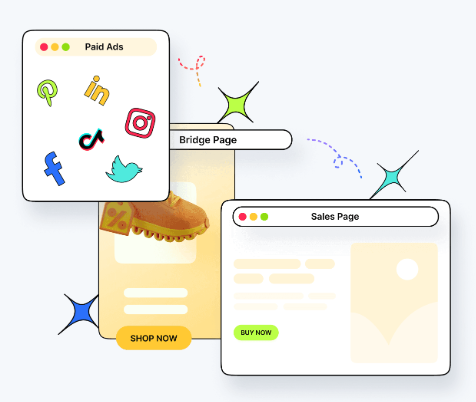
- Control format and positioning: Choose a format such as a bar, popup, exit-intent popup or bridge page, and adjust its position and colors (Essentials and up).
- A/b testing for optimization: A/B tested links keep showing your CTA overlays and firing your pixels, so you can compare which destination works better with the same CTA.
Also read: Boost Your ROI with Personalized Call to Action for a Website
Analytics and tracking capabilities
Linkly analytics
- Provides simple data visualization: Linkly offers clean and straightforward data visualization, making it easy to track clicks and key metrics through simple graphs and charts.
- Data export: Linkly exports click data as CSV or JSON and to Google Sheets, according to its home page and help center.
- Click tracking: Get efficient click tracking, showing data like the number of clicks and the location of users to gauge engagement.
- Geographic insights: It provides location-based analytics, helping you understand where your audience is coming from.
- Device and browser tracking: Linkly can track the devices and browsers users are using to click on your links, aiding in more targeted campaigns.
Replug analytics
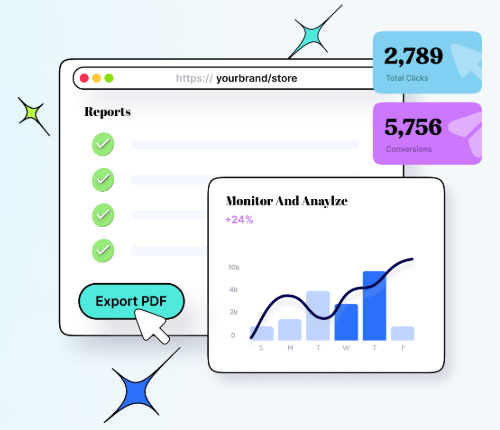
- Real-time, in-depth analytics: The Linkly alternative – Replug, provides live click tracking and detailed insights into link performance, click analytics, and user behavior for immediate campaign optimization.
- Geographic, device, and referrer insights: Understand where users come from, which devices they use, and what sources drive the most traffic to your links.
- UTM parameter tracking: Create and measure campaign effectiveness by tracking UTM-tagged links and identifying top-performing traffic sources.
- Campaign and link-specific tracking: Analyze performance at the campaign level or link level, track retargeting pixel data, QR scans, CTA campaign, and bio-link engagement.
- Detailed custom link and SMS analytics: Dive deep into custom link or SMS campaign data, including click-through rates, user engagement, and interaction metrics.
- Comprehensive data export options: Replug provides a separate Reports section with automated email reports (Essentials and up) and bulk link export on Scale and Agency.
Replug consistently offers more advanced and comprehensive options than Linkly in this feature-by-feature comparison. However, the best choice depends on your specific needs and the level of complexity you’re comfortable with in your link management tool.
Pros & cons comparisons – Linkly vs Replug
| Linkly | Replug | |
| Pros | – Free plan and API on every plan – Built-in conversion tracking – Strong traffic routing capabilities – Simple and straightforward user interface – Supports UTM tracking for campaigns – Quick and reliable performance | – Complete link management solutions – White-label dashboard- Advanced retargeting features – Customizable CTAs and bio-links – A/B testing of up to 20 destinations – Live chat and email support on all plans – Free plan with bio pages and QR codes |
| Cons | – Pricing may feel high for the feature set – No bio pages or CTA overlays – Basic visualization tools – Lacks advanced customization features | – A/B tests, routing, destination edits and password protection need Scale or Agency – No built-in conversion tracking (use UTM tags) – API access only on Agency |
Overall performance and user interface
When it comes to link management tools, performance and interface are paramount. So consider your team’s technical expertise and the time you’re willing to invest in learning a new tool when deciding.
Let’s examine how Linkly and Replug measure up in these critical areas.
User interface
Linkly offers a clean and minimalistic interface designed for simplicity. It focuses on essential features without overwhelming users, making it an excellent option for teams that need straightforward link management and analytics.
Navigating through key functions like creating short links, adding UTM codes, and accessing analytics is intuitive, even for those with limited technical experience.
On the other hand, the Linkly alternative – Replug takes a more feature-rich approach with its user-friendly interface. Despite offering advanced tools like CTA campaigns, bio-link creation, and retargeting options, Replug organizes its dashboard neatly, ensuring a smooth user experience.
You may also like: Top call-to-action tools – Proven CTA tips and tricks
Its modern design caters to both beginners and experienced marketers, allowing teams to find and utilize features quickly without a steep learning curve.

Link loading speed
Linkly focuses on delivering reliable performance with a lightweight tool optimized for quick link creation and tracking. However, it may lack advanced features that growing teams or data-heavy campaigns might require. Besides that, you may notice limited information available on server response times.
In comparison, the Linkly alternative – Replug offers complex link management tasks while maintaining stability and speed. All while providing capabilities like advanced click analytics, deep links, and traffic redirects.
Replug’s customer support offers prompt and reliable assistance, ensuring users get quick solutions to their queries. With responsive support channels and helpful resources, navigating the platform is seamless for all users.
Linkly vs. Replug: Feedback from real users
| Linkly | Replug | |
| Reviews | “Simple yet powerful link tracker” Verified user | “Powerful URL shortener with advanced features” Carlos T. |
| “Easy to use” Verified user | “One of the best URL Shortner with Deeplinking” Verified user | |
| Great solution for link shortening specially for “mail:to” events” Anthony W. | “Very convenient platform to create Branded Links with Marketing & Reporting” Karen S. | |
| “Solid team behind Replug” Verified user | ||
| Support channels | – Live-chat – Email support – Knowledge base – Release notes – Request a Linkly feature – Basic support | – Live-chat – Email support – Changelog – Knowledge base – Glossary – Help center – Dedicated support – Onboarding & call support |
A one-on-one pricing comparison – Linkly vs. Replug
When choosing a link management tool, pricing is often a crucial factor. Let’s break down the pricing structures of Linkly and Replug to help you determine which offers better value for your investment.
| Tier | Linkly | Replug |
|---|---|---|
| Free | $0: 100 new links and 500 tracked clicks a month, 1 custom domain | $0: 100 short links, 2 bio pages, 10 QR codes, 1,000 clicks a month, 3 custom domains |
| Entry | Starter: $15/month, billed yearly only; 250 links and 2,000 clicks a month | Essentials: $19/month (up to 50% less billed yearly); 1,000 links, 10 bio pages, 10,000 clicks a month, 1 retargeting pixel |
| Mid | Pro: $39/month or $32/month billed yearly; 1,000 links and 10,000 clicks a month, 3 custom domains, link rotators, pixels | Scale: $39/month (up to 40% less billed yearly); unlimited links and bio pages, 50,000 clicks a month, 3 workspaces, A/B tests and routing |
| Team | Business: $129/month or $107/month billed yearly; 5,000 links and 50,000 clicks a month, 10 custom domains, link cloaking | Agency: $99/month (up to 20% less billed yearly); 250,000 clicks a month, 10 workspaces, 50 custom domains, white label and API |
| Top | Unlimited: $999/month or $833/month billed yearly; unlimited links and clicks | Enterprise: custom quote |
| Add-ons | Click, link and domain packs for Pro and Business | Custom limits on Enterprise |
Note: Prices checked on linklyhq.com/pricing and replug.io/pricing in October 2026. Replug’s monthly prices are in USD as shown on its Bio Links page; its pricing page showed the same numbers in euros from our location. Linkly says paid links keep redirecting if you go over your click quota and an add-on is bought automatically, while on its free plan links pause until the next reset.
Ultimately, the better value depends on your specific needs and budget. If you mostly track clicks and want conversion data inside your link tool, Linkly’s free and Starter plans are a low-cost way in. If you also need bio pages, CTAs and A/B tests, Replug includes them, with A/B testing and routing from the Scale plan.
When Linkly is the better fit, and when Replug is
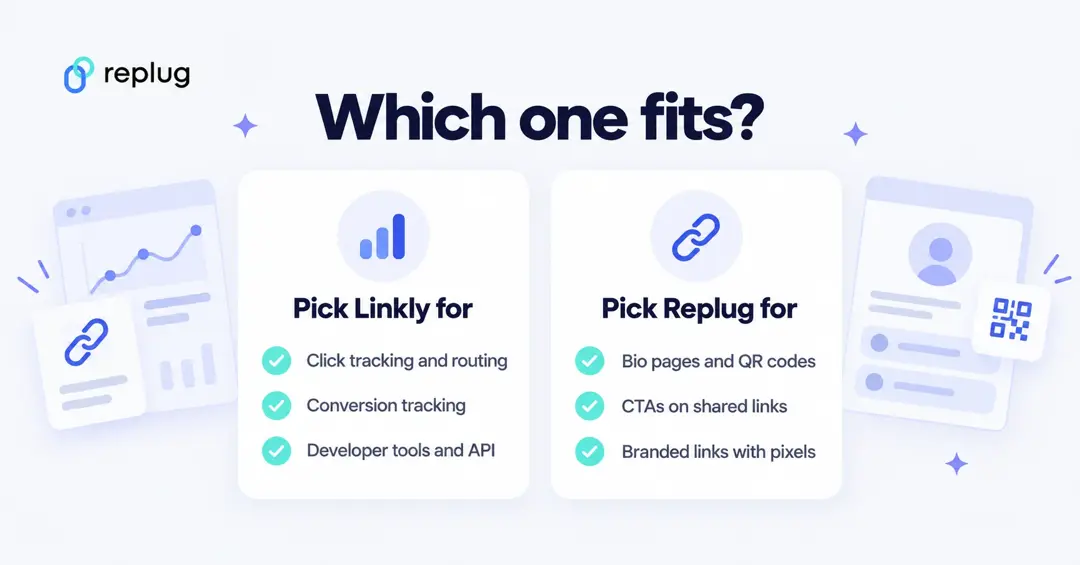
- Pick Linkly if built-in conversion tracking matters (sales from Stripe, bookings from Calendly or GA4 purchase events tied to a link), if you want API access on a free plan, or if your team is happy with one shared permission level for every user (Linkly says all users in a workspace have the same privileges, per its help center).
- Pick Linkly if you only need short links and QR codes and want to pay by link and click volume, with add-on packs when a campaign overshoots.
- Pick Replug if you want bio pages, QR codes and short links in one dashboard, CTA overlays on the pages you share, or A/B tests across up to 20 destinations.
- Pick Replug if you manage several clients and need separate workspaces, roles and a white-label dashboard (Agency plan).
Our verdict
If you’re looking for a tool that can grow with your marketing needs and integrate seamlessly with your existing workflow, Replug’s advanced features and integrations make it a compelling choice.
FAQs on Linkly vs. Replug

Manahil